Ask about one thing.
Name the product, service, or experience people should evaluate so their answer has a clear subject.
THE SCORE STARTS THE CONVERSATION.
A recommendation score is a starting point. Pair it with a thoughtful follow-up to understand the experience behind the number—and what you could improve.
Start with a free account · Build without code
“The team made the whole process feel easy.”
THOUGHTFUL QUESTIONS. MORE USEFUL ANSWERS.
Keep the question focused, the scale consistent, and the invitation to explain easy to answer.
Name the product, service, or experience people should evaluate so their answer has a clear subject.
Follow the recommendation question with an open prompt about the reason for the score.
Confirm the scale and stored values, then use a consistent question when comparing groups or periods.
BUILT INTO YOUR FORM
Treat the question, response scale, and next question as one carefully planned experience.
Read the scale and setup guidanceAdd a recommendation question and identify exactly what is being evaluated.
Ask what most influenced the score and what would improve the experience.
Standard NPS uses 0–10. Confirm every value is available in your builder; see the setup guide.
ONE QUESTION CAN OPEN A CONVERSATION
Understand the moments that shaped the overall experience.
Example prompt · Adapt it to your audienceConnect the score to a concrete improvement opportunity.
Example prompt · Adapt it to your audienceGive the customer space to describe priorities in their own words.
Example prompt · Adapt it to your audienceGET A FEEL FOR THE EXPERIENCE
Try an illustration of the standard 0–10 NPS method. This is an explanation of the method, rather than a live preview of the builder’s current control.
STANDARD NPS · 0–10
Choose a score to explore the response groups.
Confirm your builder offers the full 0–10 scale before launch. Read the scale guidance →
Method illustration. No score is saved or submitted.
FROM A GOOD QUESTION TO A WORKING FORM
Add NPS and make the subject of the recommendation question unambiguous.
Check that the builder offers 0 through 10. The setup guide documents a 1–10 development preview; resolve that difference before collecting standard NPS.
Test the lowest, middle, and highest offered values and a blank response. Verify stored values before relying on an aggregate score.
Inside RapidoForm
See where you choose questions, edit the wording, and preview the experience. These real builder screens show a sample feedback form you can use as a starting point.
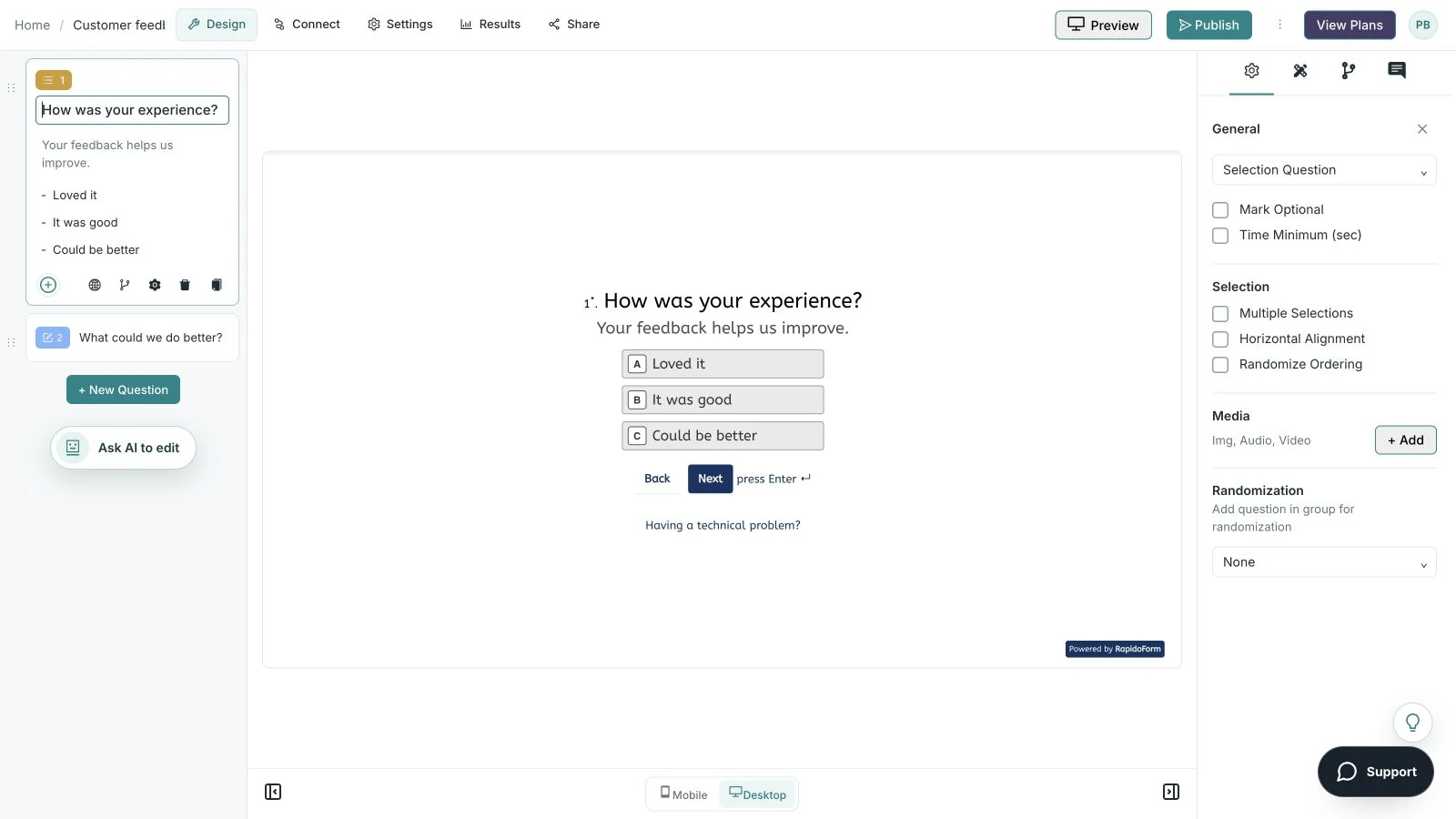
Showing: Make the wording yours. Screens use sample content. Feature availability varies by plan.
A quick look around
Choose a question, edit the answers, explore themes, and switch to the mobile preview.
A silent guided sequence of real builder screens, using a sample feedback form.
Try the builder for free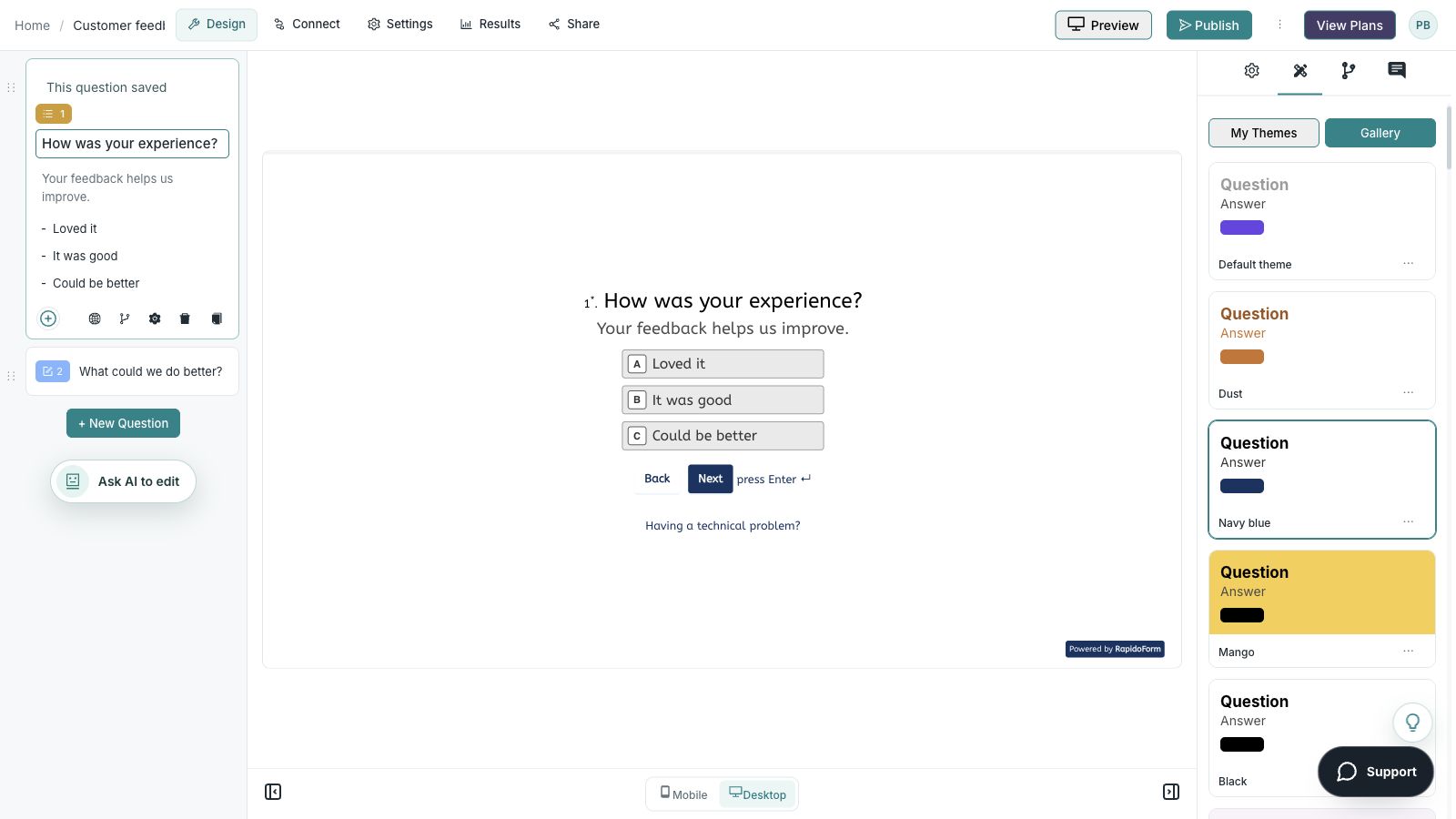
Confirm it in your builder before launch. The current setup guide documents a development preview offering 1–10 with no zero. That differs from standard NPS. Ask support to confirm or correct the scale before collecting standard NPS data.
On the standard 0–10 scale, scores of 9–10 are promoters, 7–8 are passives, and 0–6 are detractors. NPS is the percentage of promoters minus the percentage of detractors. One response is a segment indicator, not an aggregate NPS score.
Yes. Add an open-text question or another appropriate follow-up to capture the reason behind a recommendation score. Keep the wording neutral.
Create a free account to explore the builder. Question availability, response and storage allowances, and advanced features depend on your workspace and plan. Check the current pricing page and the question picker’s plan indicators before launch.
BETTER QUESTIONS START HERE
Explore the builder. Choose the plan that fits.