Hear the why.
Collect spoken feedback, or pair a rating or choice with an audio explanation.
Explore audio questionsGuide · Survey design
Use question types that make answers easier to give and easier to understand. This guide helps you choose formats, write neutral prompts, and avoid common survey mistakes.
Start free Audio & video questions Customize without code
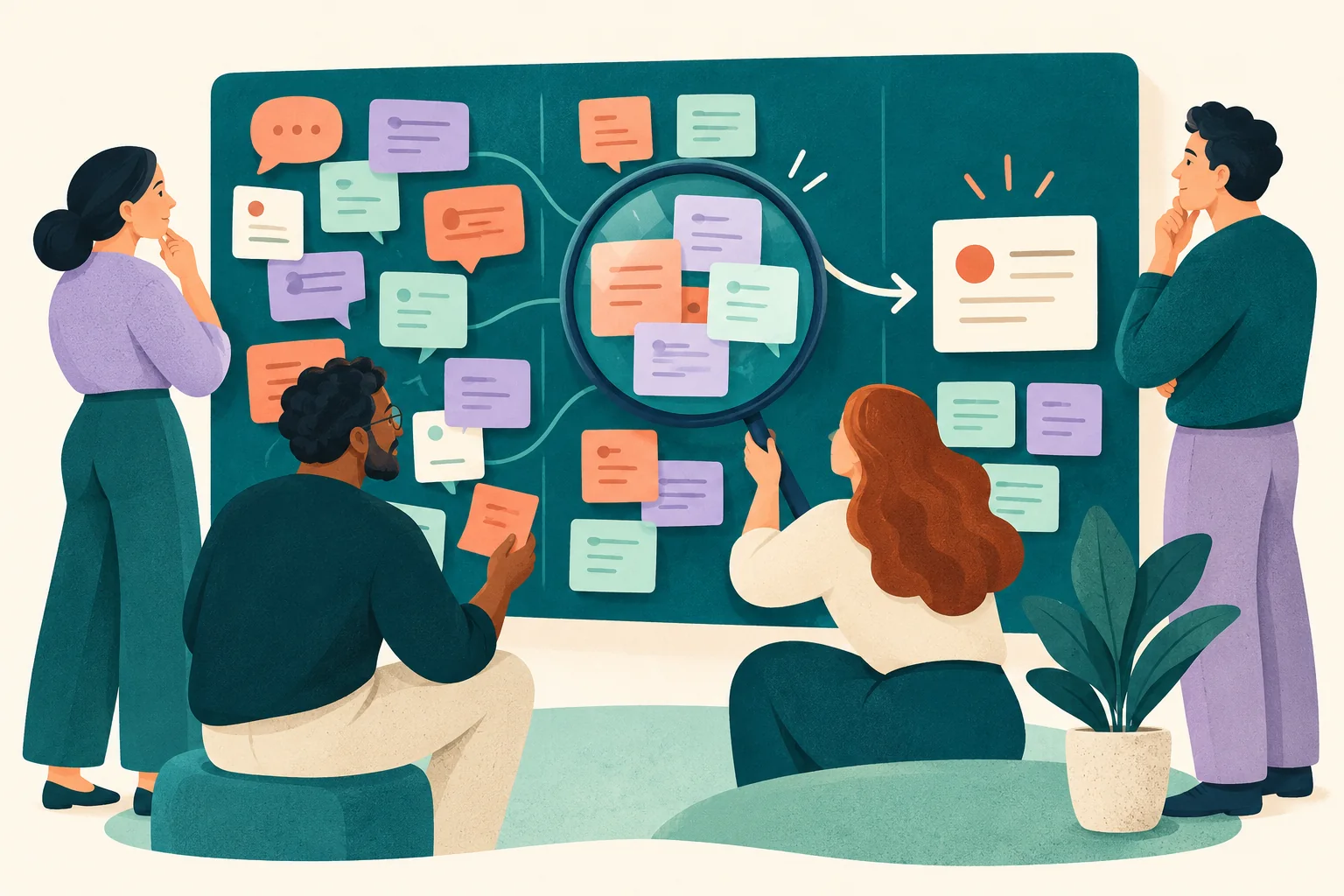
Go deeper than a text box. Add audio and video questions to your forms and surveys, so people can explain an experience in their own words.
Collect spoken feedback, or pair a rating or choice with an audio explanation.
Explore audio questionsCollect video answers for customer stories, introductions, and qualitative research.
Explore video questionsRecording and storage allowances vary by plan. Compare plans →
Start with the outcome
Question format affects what people can tell you. A closed choice makes comparison easier, while an open response can reveal an experience you did not think to list.
Use distinct choices, labeled ratings, or frequency ranges when you need a consistent way to review answers across respondents.
Use a short or long text question to understand the reason, context, or exception behind a choice. Keep it optional when it is not essential.
Name the experience and time period. Explain the scale, define unfamiliar terms, and include “not applicable” where a person may lack the relevant experience.
Inside RapidoForm
Open the question picker, inspect an editable selection question, and compare the desktop and mobile views. Use the screens alongside this guide when choosing a format.
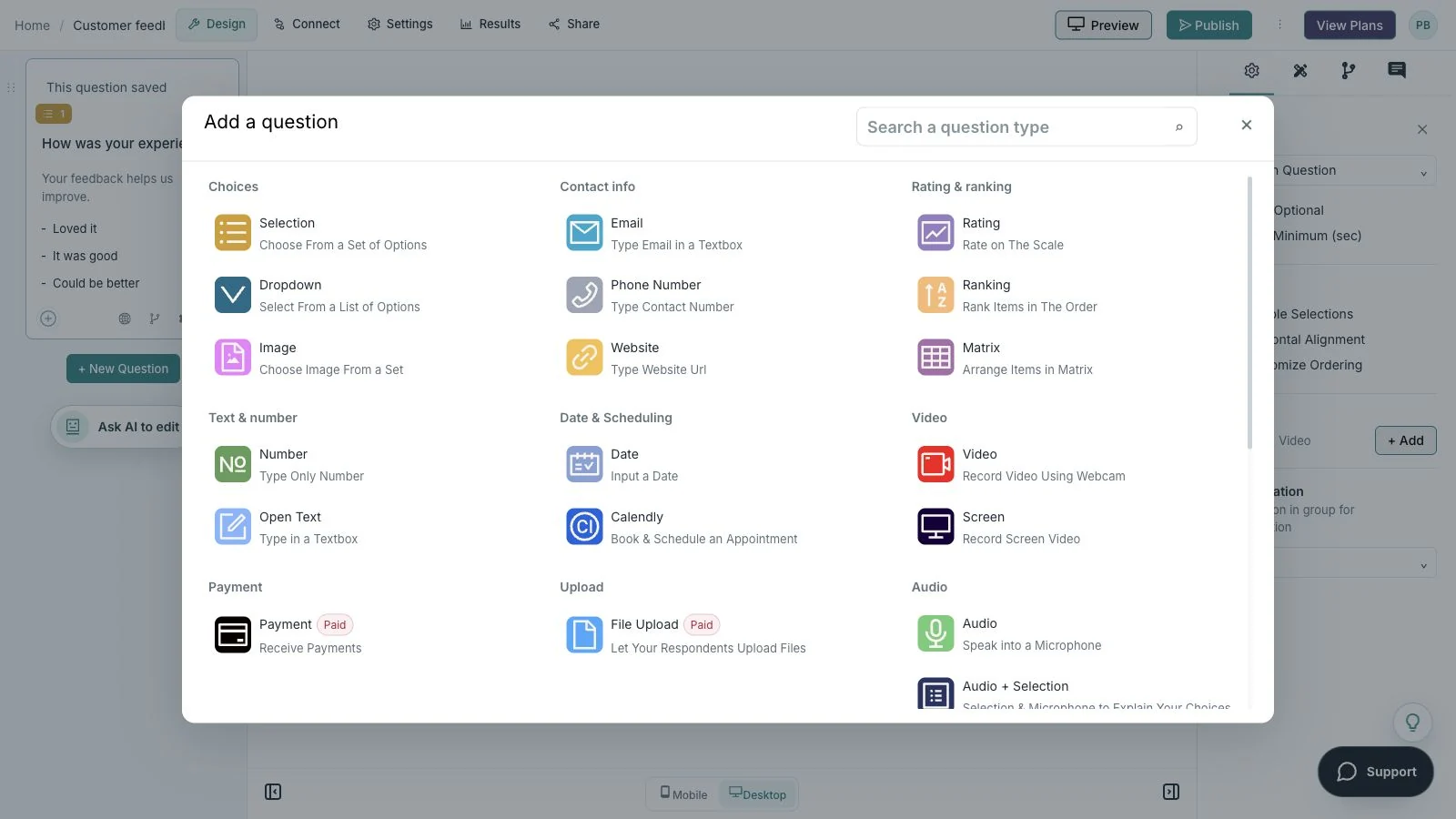
Showing: Choose a question. Screens use sample content. Feature availability varies by plan.
A quick look around
Choose a question, edit the answers, explore themes, and switch to the mobile preview.
A silent guided sequence of real builder screens, using a sample feedback form.
Try the builder for free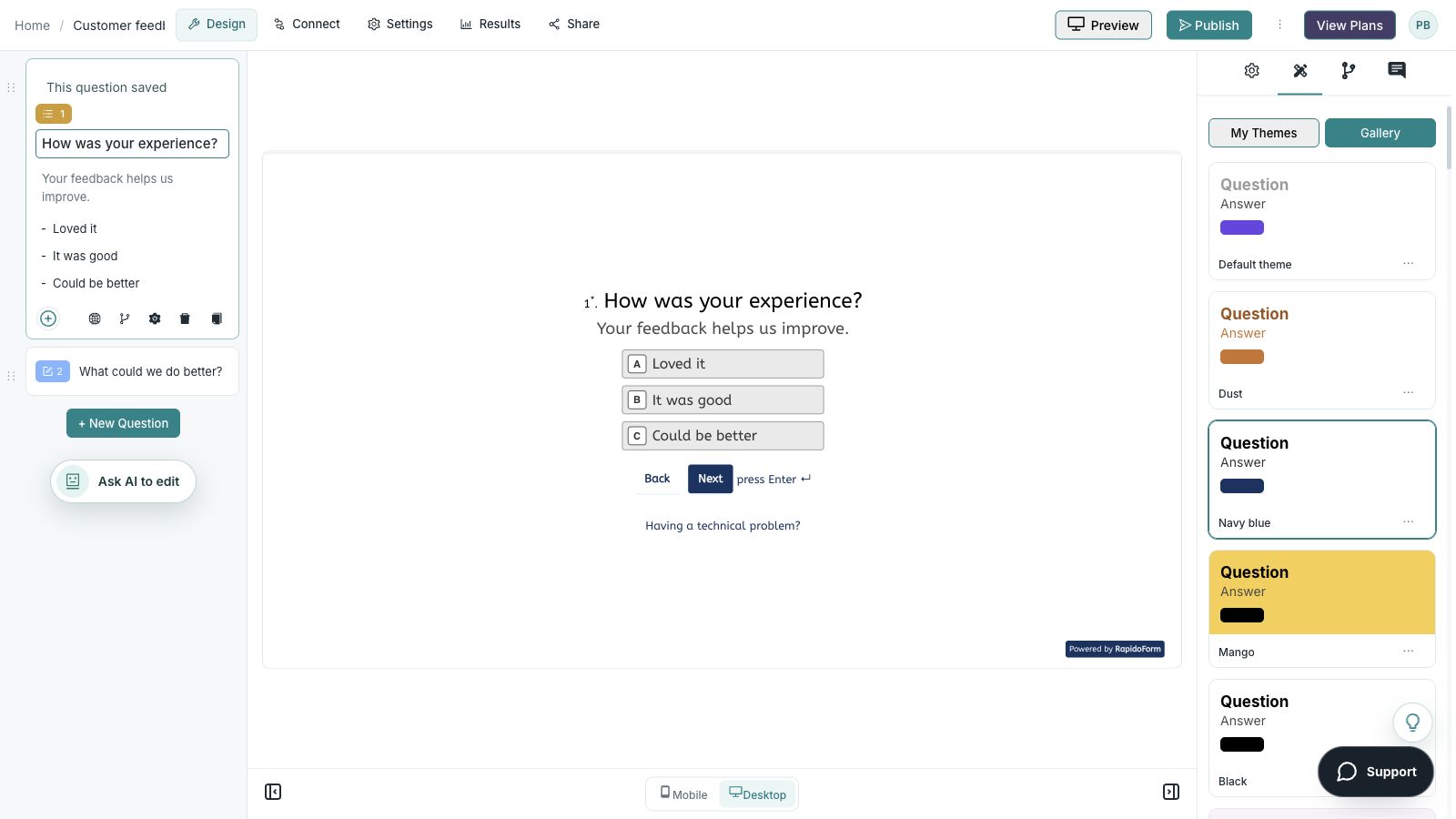
Picture the possibility
Imagine asking about a recent delivery. A labeled rating captures the overall experience, a choice identifies the relevant touchpoint, and an optional comment gives the customer room to explain something unexpected.
Why RapidoForm
Understanding formats is useful; seeing them in sequence is even better. Use RapidoForm to turn the choice of question types into a complete respondent experience.
Explore current plans and usageAdd a question and select the format that matches the answer you need. Review its options, labels, and any instructions before moving to the next item.
See the question-building stepsA choice can identify the experience, while branching can show an appropriate explanation question. Keep the route relevant to what the person actually selected.
Explore conditional follow-upsTheme choices affect readability and selected states. Preview long labels, contrast, and validation alongside the actual question rather than judging the text in isolation.
Review theme controlsFrom principle to practice
A useful question has a purpose, a clear prompt, and an answer format suited to the person responding.
Write down what the answer will change. If it will not support a decision or a necessary next step, remove the question.
Use single choice for one option, multiple selection for several, a rating for a defined measure, and open text for explanation.
Ask someone to explain the question in their own words. Check ambiguous terms, missing choices, and whether the answer options fit the prompt.
An open question such as “What made setup difficult?” gives the respondent room to explain. It takes more effort to answer and to review, so use it where that context matters.
A closed question such as “Which setup step took the most time?” makes answers easier to compare. Include an alternative when your options may not cover every experience.
For ratings, label what low and high values mean. For agreement questions, use a balanced Likert scale and keep its direction consistent throughout the survey. Avoid comparing results from differently worded scales as if they were identical.
Ask demographic questions only when you have a defined analytical purpose. Explain why the answer matters and offer an appropriate way to skip sensitive questions.
Plan the complete surveyFind your starting point
Start with a situation your audience recognizes, then shape the questions around the next step.
Use a clearly labeled scale and keep its direction consistent.
Use a focused open question after a choice or rating.
Explain when multiple selection is allowed.
Make it useful
The same topic can require different formats depending on the evidence you need.
| Question type | Example | When it helps |
|---|---|---|
| Open-ended | What made your first setup difficult? | Understand context and unexpected barriers. |
| Single choice | Which feature did you use most recently? | Compare one clearly defined answer per person. |
| Multiple selection | Which channels did you use to contact us? Select all that apply. | Capture several relevant experiences. |
| Rating | How easy was checkout? Very difficult to very easy. | Measure a named experience on a labeled scale. |
| Likert agreement | The instructions helped me finish the task. Strongly disagree to strongly agree. | Measure agreement with one statement. |
| Picture choice | Which layout is easiest to read? Include text descriptions. | Compare visual alternatives with accessible context. |
| Demographic | Which age range applies to you? Include prefer not to say. | Understand a relevant group only when necessary. |
Avoid double-barreled questions. Replace “Was setup fast and easy?” with separate questions about time and difficulty if you need both measures.
A small change with a purpose
Clear wording helps someone give you the information you actually need. Here are two improvements to try.
“Was our service fast and friendly?”
“Ask separately about waiting time and the support interaction.”
Separating concepts makes each answer easier to use.
“How often do you use it?”
“How many times have you used it in the past seven days?”
A defined period gives respondents a consistent frame of reference.
Put the idea into practice
Measure the experience while leaving room for an unexpected issue.
Example introduction
Think about your most recent delivery. These questions help us understand what worked and what could be clearer.
Delivery timing / Packaging / Communication / Something else
Give the answer a defined touchpoint.
Very dissatisfied through very satisfied
Keep the scale balanced and the topic singular.
A specific example or improvement suggestion.
Let the customer explain an exception you did not list.
Who this is for
Customers who received a delivery during the relevant period.
How the path works
Use the touchpoint choice to show a relevant optional follow-up. Provide a complete route for “something else” rather than forcing a listed category.
Example ending
“Thank you for explaining the experience. Your feedback will help us review the relevant part of the delivery process.”
Illustrative setup. Adapt the wording and behavior to your audience.
After the first response
Responses can reveal whether the question type gave people a clear and appropriate way to answer.
Repeated “other” explanations may reveal an option you should include. Review the wording before adding overlapping categories.
If comments conflict with ratings, verify the labels and scale direction. Make the measure easier to understand rather than assuming the respondent made a mistake.
Remove repeated questions and long optional prompts that do not support a decision. Keep the explanation question where it contributes useful context.
The details matter
Give the form a complete trial run, including the routes you do not expect most people to take. Check your workspace plan before relying on a feature or response limit.
Compare plan featuresMake the idea yours
You have the idea. Give it a clear structure, make it feel like your brand, and preview the experience before inviting your audience.
Start free. Explore paid features and limits when your workflow needs them.
A context question, a labeled measure, and an optional explanation in the respondent’s own words.
Good questions
More detail before you get started.
Visit the help centerUse them when you need an explanation or expect answers you cannot list in advance. Keep the prompt focused and plan how you will review the text.
Leading wording suggests a preferred answer, for example “How much did you enjoy our excellent support?” Ask neutrally about the actual experience instead.
A rating asks someone to evaluate a defined experience or attribute. A Likert item typically asks for agreement with a statement on a balanced scale. Label the response options clearly in either case.
RapidoForm offers a free plan alongside paid plans. Check the pricing page for current response limits, AI allowances, integrations, and other feature availability before choosing your setup.
Keep building
Turn an idea into something useful
Start with a template or a blank form, adapt it to your audience, and preview the complete experience before sharing it.
Create a surveyFree and paid plans available. Features and usage limits vary by plan.