Hear the why.
Collect spoken feedback, or pair a rating or choice with an audio explanation.
Explore audio questionsInteractive online quizzes
Help people test their knowledge, explore an idea, or find a relevant next step. Create an online quiz that gives the participant something useful in return.
Start free Audio & video questions Customize without code

Go deeper than a text box. Add audio and video questions to your forms and surveys, so people can explain an experience in their own words.
Collect spoken feedback, or pair a rating or choice with an audio explanation.
Explore audio questionsCollect video answers for customer stories, introductions, and qualitative research.
Explore video questionsRecording and storage allowances vary by plan. Compare plans →
Start with the outcome
A trivia quiz, a practice assessment, and a product recommendation all ask questions, but they have different goals. Decide what participants should learn before building the route to the result.
Use knowledge questions to reveal a topic worth reviewing. Explain correct answers and give people a constructive next step instead of only a score.
Create a theme your audience recognizes. Keep the language welcoming, the questions focused, and the ending useful enough to justify the time spent.
Use preference questions to organize a conversation about needs. Make recommendations transparent and let people understand why an option may fit.
Inside RapidoForm
Start with the basics: choose a question, write the options, and preview the flow. These sample feedback screens show the shared builder; quiz scoring and outcomes are configured separately.
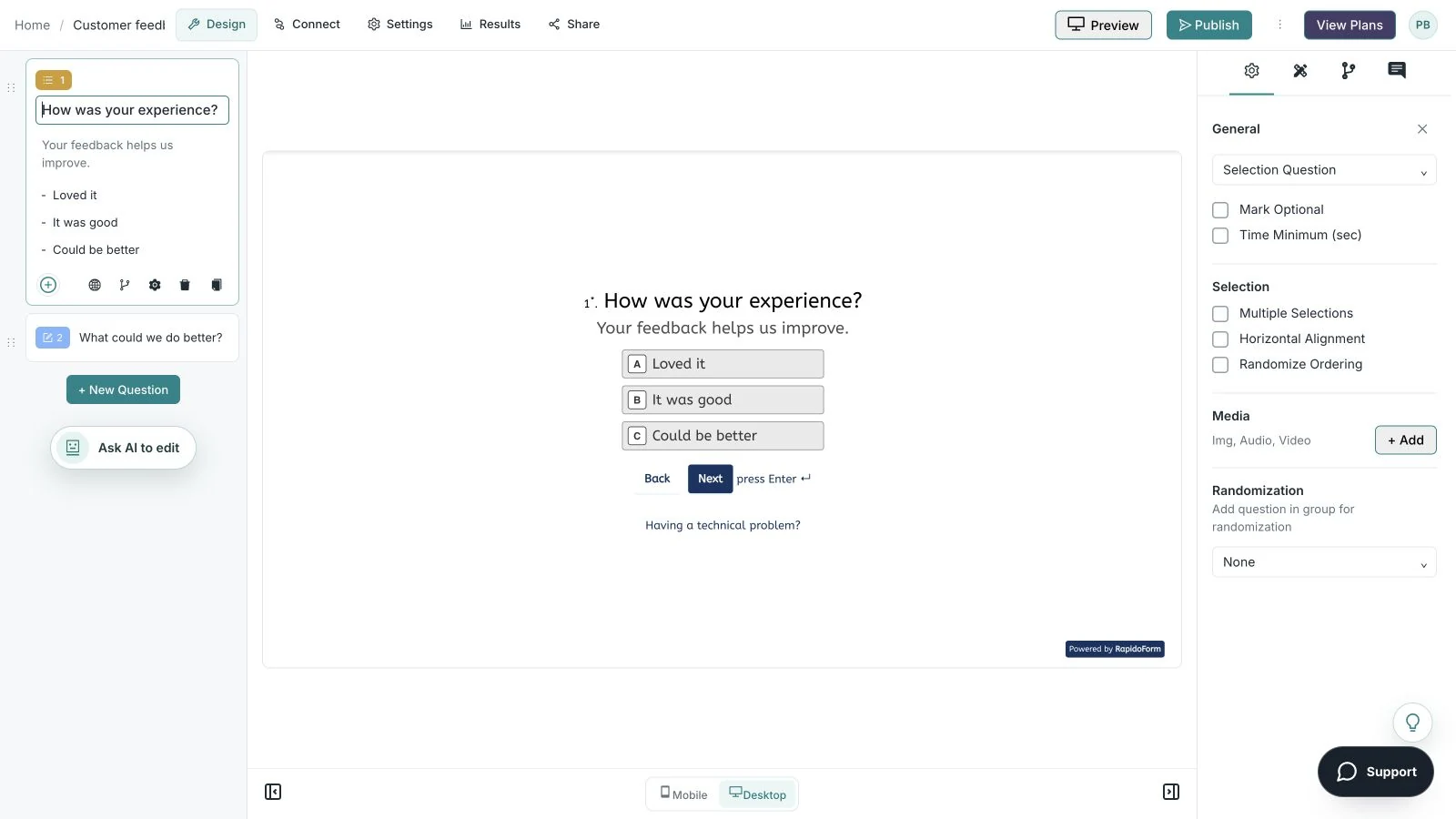
Showing: Make the wording yours. Screens use sample content. Feature availability varies by plan.
A quick look around
Choose a question, edit the answers, explore themes, and switch to the mobile preview.
A silent guided sequence of real builder screens, using a sample feedback form.
Try the builder for free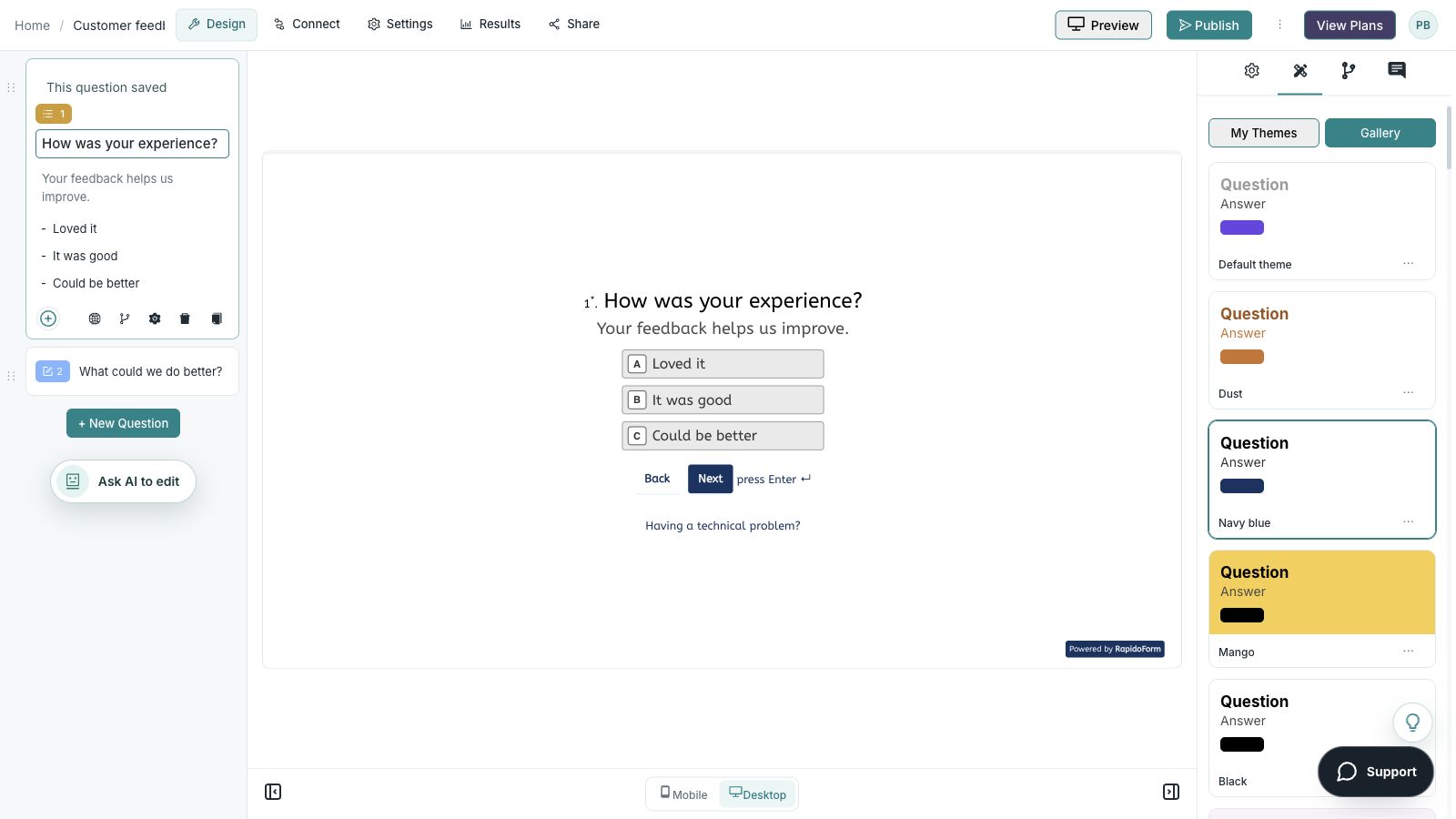
Picture the possibility
A visitor begins a quiz out of curiosity. Each question helps them explore a topic or preference, and the ending gives them an explanation, a learning resource, or a relevant option to consider.
Illustrative example. Answers stay on this page and are not submitted.
Why RapidoForm
RapidoForm helps you organize a question flow around learning or discovery. Choose the formats, configure the relevant behavior, and give the participant a result they can understand.
Explore current plans and usageAdjust the introduction and visual theme so the quiz feels connected to your audience. Clear choices and readable colors matter more than decorative complexity.
Explore visual customizationUse available branching and scoring workflows to shape a relevant ending. Keep the purpose clear: knowledge practice, preferences, and recommendations need different interpretations.
Read about logicWhen a quiz uses scores, inspect the result fields and the way the score is explained. A useful explanation helps participants decide what to do next.
Explore score reviewYour workflow, simplified
A good ending gives the quiz a purpose. Write that ending first, then decide what information you need to get there.
Decide whether answers are right or wrong, contribute to an outcome, or simply describe a preference. Explain the purpose in the introduction.
Use concise prompts and plausible answer choices. Group related ideas, and use conditional paths only when they make the experience more relevant.
Try every outcome and scoring boundary. Check tied results, unanswered optional questions, and the advice shown after completion.
Make distractors plausible without turning the question into a trick. Avoid hints caused by answer length, grammar, or one unusually detailed choice.
When a participant misses a question, explain the concept and suggest a relevant review step. Test the answer key with someone familiar with the subject.
Explore assessment workflowsAsk about needs and constraints that actually distinguish the available options. Keep the route understandable and provide an alternative if none of the options fits.
Do not present an entertainment or preference quiz as a validated assessment. If collecting contact details, explain the follow-up and separate it from the immediate quiz result.
Plan a useful follow-upFind your starting point
Start with a situation your audience recognizes, then shape the questions around the next step.
Use a small set of focused questions with helpful explanations.
Ask about needs that distinguish the available options.
Choose a theme that your audience already cares about.
Make it useful
Use the goal to choose the format, rather than copying the same quiz structure for every audience.
| Quiz idea | Question approach | Useful ending |
|---|---|---|
| A short topic check | Single-answer knowledge questions | An explanation and a topic to revisit. |
| A training refresher | Scenarios based on a recent lesson | A summary of the decision principle. |
| A product finder | Preferences, constraints, and intended use | An option with reasons and an alternative. |
| An event trivia round | Clear questions with a checked answer key | A score and an invitation to keep learning. |
| A marketing self-check | Behavior and process questions | A practical checklist tailored to the answers. |
Use these as starting points. Adapt the wording, choices, and required fields to your audience before publishing.
A small change with a purpose
Clear wording helps someone give you the information you actually need. Here are two improvements to try.
“Which answer is obviously correct?”
“Which action best fits this situation?”
A realistic choice makes the question more useful than a trick or a giveaway.
“Your result: Option A.”
“Option A may fit because you prioritized a simple setup.”
Explaining the result gives the participant something they can assess.
Put the idea into practice
Help a visitor identify a useful place to begin.
Example introduction
Let’s find a sensible starting point. Choose the answer that best describes the work you want to improve.
A request / An opinion / A knowledge check
Distinguish a form, survey, or quiz workflow.
A person reviews it / We learn from a pattern / The participant gets feedback
Connect the outcome to the intended use.
A clear question set / A rough idea / I want a starting template
Tailor the recommended next step.
Who this is for
People exploring how to collect information for a team.
How the path works
Map each ending to a relevant starting point and explain the reason. Give unusual answer combinations a general guidance route rather than forcing a confident recommendation.
Example ending
“Start with a request form if your main goal is to collect context for a team review. You can adapt the questions as the process becomes clearer.”
Illustrative setup. Adapt the wording and behavior to your audience.
After the first response
The ending is part of the quiz. Review whether it gives a participant something useful to understand or try.
Check that the explanation follows from the answers and does not make a stronger claim than the quiz supports.
Test combinations that reach similar outcomes. Simplify questions that do not change the ending or add useful context.
Point learners toward a resource or visitors toward a relevant option. Keep a contact request connected to the purpose of the quiz.
The details matter
Give the form a complete trial run, including the routes you do not expect most people to take. Check your workspace plan before relying on a feature or response limit.
Compare plan featuresMake the idea yours
You have the idea. Give it a clear structure, make it feel like your brand, and preview the experience before inviting your audience.
Start free. Explore paid features and limits when your workflow needs them.
A clear purpose, a short sequence of choices, and an ending that explains the outcome.
Good questions
More detail before you get started.
Visit the help centerA quiz often supports discovery, engagement, or practice. A test usually evaluates defined learning objectives. The appropriate wording, scoring, and feedback depend on your purpose rather than the label alone.
You can design a question flow around needs and preferences, then configure outcomes using the features available in your workspace. Test the result mapping and explain recommendations clearly.
For practice, explanations can help people learn. For an assessment, choose feedback timing based on your process. Check what the participant sees at each ending before sharing.
RapidoForm offers a free plan alongside paid plans. Check the pricing page for current response limits, AI allowances, integrations, and other feature availability before choosing your setup.
Keep building
Turn an idea into something useful
Start with a template or a blank form, adapt it to your audience, and preview the complete experience before sharing it.
Create your quizFree and paid plans available. Features and usage limits vary by plan.