Hear the why.
Collect spoken feedback, or pair a rating or choice with an audio explanation.
Explore audio questionsOnline survey maker
Create online surveys that help people share an honest opinion. Turn a focused set of questions into feedback your team can understand and use.
Start free Audio & video questions Customize without code

Go deeper than a text box. Add audio and video questions to your forms and surveys, so people can explain an experience in their own words.
Collect spoken feedback, or pair a rating or choice with an audio explanation.
Explore audio questionsCollect video answers for customer stories, introductions, and qualitative research.
Explore video questionsRecording and storage allowances vary by plan. Compare plans →
Start with the outcome
Whether you are exploring customer needs, reviewing a service, or checking in with employees, define what you will do with the results before writing the first question.
Use neutral wording and answer options that cover the likely experiences. Include “not applicable” when a respondent may not have used the service.
A rating can show a pattern. An open-ended follow-up can explain why that pattern exists. Use both when the decision needs context.
Keep scales consistent when comparing results over time. Record how you recruited respondents and avoid treating a small convenience sample as everyone’s opinion.
Inside RapidoForm
Explore the question picker and editing controls before building your own survey. The sample feedback form shows the same core tools you can use to shape your questions.
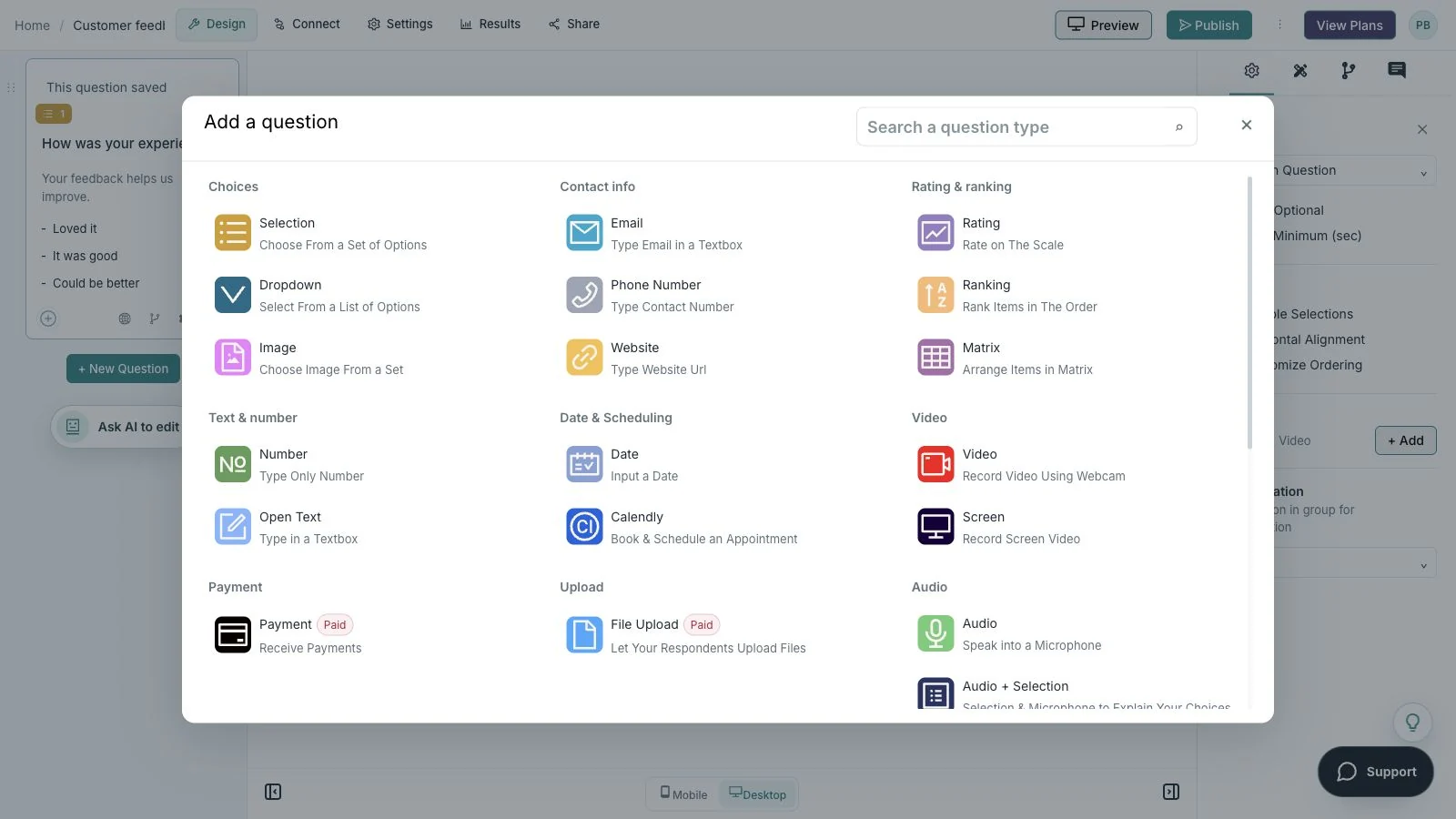
Showing: Choose a question. Screens use sample content. Feature availability varies by plan.
A quick look around
Choose a question, edit the answers, explore themes, and switch to the mobile preview.
A silent guided sequence of real builder screens, using a sample feedback form.
Try the builder for free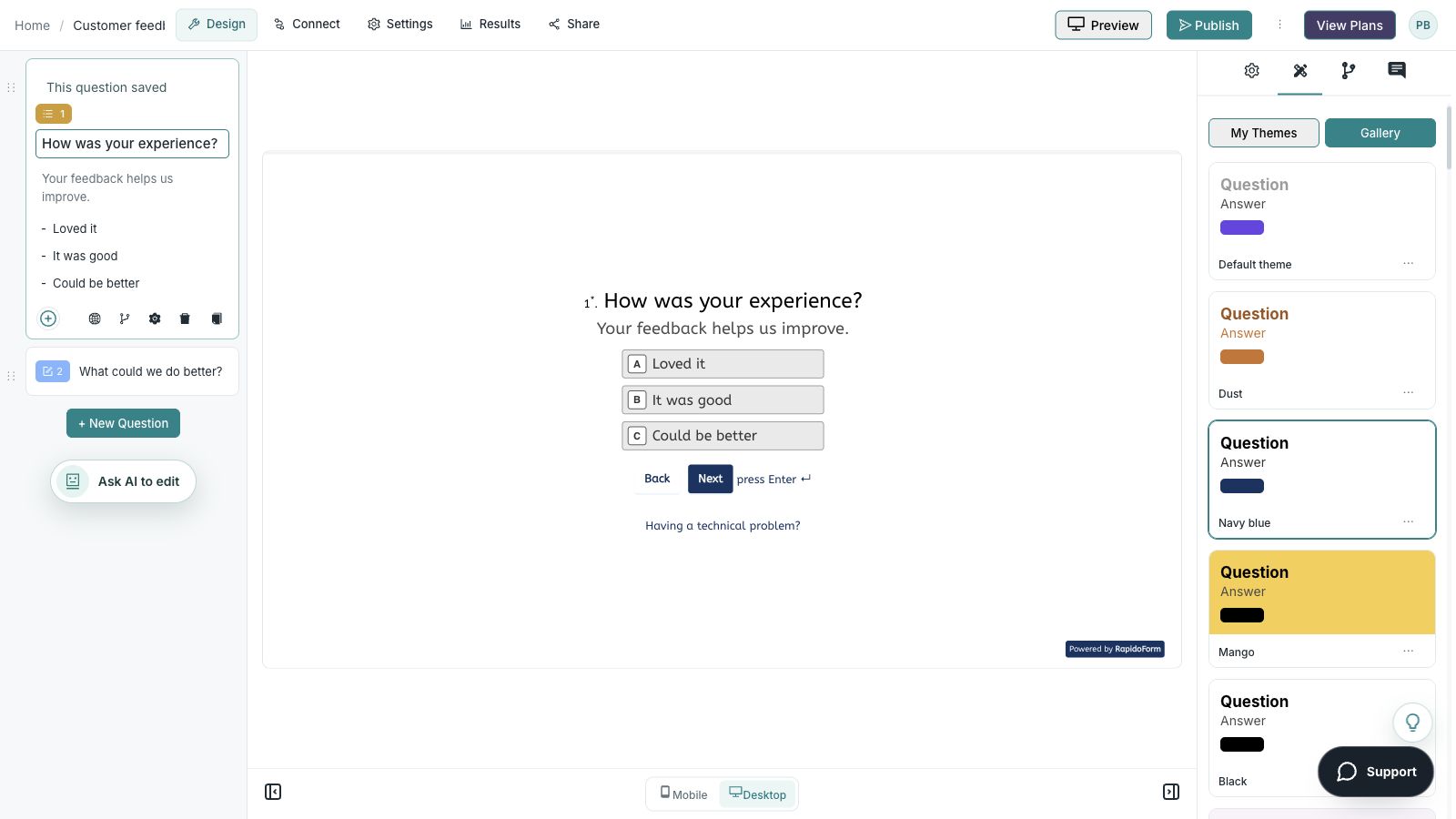
Picture the possibility
Imagine a customer has just finished onboarding. A short survey can connect their rating with the step that felt difficult, giving your team a focused problem to investigate.
Illustrative example. Answers stay on this page and are not submitted.
Why RapidoForm
Use RapidoForm to move from a research objective to a respondent experience you can review. Keep the measure, the context, and the explanation together in a survey that fits the moment.
Explore current plans and usageChoose structured questions for comparison and open text for explanation. The question picker lets you build a sequence around the decision instead of forcing every answer into the same field.
Explore the question-building workflowUse branching when a follow-up only applies to people who had a particular experience. That leaves more attention for the questions the respondent can answer.
Read the logic guidePublish the checked survey and use the sharing options available to your workspace. Open the respondent link yourself so you can review the exact journey you are inviting people to take.
See sharing optionsYour workflow, simplified
Work backward from one question your team needs to answer. The survey should collect enough evidence for that question without adding unrelated topics.
Specify whose experience matters and when they should answer. Recent customers and prospective customers can provide very different perspectives.
Use short, single-topic questions. Ask a colleague unfamiliar with the project to explain what each question means before you launch.
Choose an appropriate distribution channel, review the responses, and agree on a next step. Share what you learned with the people who can make the change.
Use a short transactional survey after a particular interaction. Use a broader relationship survey when you need to understand the overall experience across several touchpoints.
For product research, ask about recent behavior before hypothetical preferences. A clear example of what someone did is often easier to interpret than a prediction about what they might do.
Plan a product surveyReview the number of responses alongside the findings. Compare relevant groups only when you have enough information to make the comparison meaningful.
Keep the wording, scale, and timing stable for repeated surveys. Read comments for recurring themes and exceptions; a single unusual answer can reveal a problem worth investigating without establishing a trend.
Explore research workflowsFind your starting point
Start with a situation your audience recognizes, then shape the questions around the next step.
Ask about a defined interaction and leave room for the detail behind the rating.
Use neutral questions about a recent period, and explain how feedback will be reviewed.
Ask what was useful, what was missing, and what would help at the next session.
Make it useful
This sequence combines a simple measure with context and a concrete improvement opportunity.
| What to ask | Suggested format | How to use the answer |
|---|---|---|
| Which service did you use most recently? | Single choice | Interpret the feedback in the correct context. |
| How satisfied were you with that experience? | Labeled rating scale | Measure a clearly defined experience. |
| What worked well? | Optional long text | Identify strengths to preserve. |
| What would you change? | Optional long text | Find a specific improvement opportunity. |
| May we contact you about your feedback? | Consent choice, then conditional email | Arrange a follow-up only when the respondent agrees. |
Use these as starting points. Adapt the wording, choices, and required fields to your audience before publishing.
A small change with a purpose
Clear wording helps someone give you the information you actually need. Here are two improvements to try.
“Did you enjoy our excellent onboarding?”
“How easy was it to complete your first setup?”
Neutral wording leaves room for an honest account of the experience.
“How was everything?”
“Which part of the setup took the most effort?”
A specific task gives your team something it can investigate.
Put the idea into practice
Understand which setup step deserves clearer guidance.
Example introduction
Help us improve the first week. Think about your most recent setup experience as you answer these short questions.
Account setup / First project / Inviting a teammate / Another task
Give the feedback a specific context.
Very difficult through very easy
Use one consistent scale and explain its direction.
A step, explanation, or piece of information that would have helped.
Leave room for a suggestion you did not anticipate.
Who this is for
Customers who completed their initial setup recently.
How the path works
If someone did not complete the relevant task, route them to a question about what prevented them from starting. Keep that experience distinct from feedback about a completed task.
Example ending
“Thank you. We will use this feedback to review the setup experience and choose improvements to investigate.”
Illustrative setup. Adapt the wording and behavior to your audience.
After the first response
A useful review connects what people selected with what they described. Start with the audience and the task before deciding what a rating means.
Compare the setup tasks people actually completed. A difficult teammate invitation and a difficult first project may need different responses.
Group the explanations into themes such as missing context, unclear language, or an unexpected step. Preserve exceptions that need separate investigation.
Assign one improvement or follow-up study, then decide when to ask about the experience again. Keep repeated question wording stable if you plan to compare results.
The details matter
Give the form a complete trial run, including the routes you do not expect most people to take. Check your workspace plan before relying on a feature or response limit.
Compare plan featuresMake the idea yours
You have the idea. Give it a clear structure, make it feel like your brand, and preview the experience before inviting your audience.
Start free. Explore paid features and limits when your workflow needs them.
One experience question, one labeled rating, and an optional question about what to improve.
Good questions
More detail before you get started.
Visit the help centerLong enough to answer the research question and short enough to respect the respondent’s time. Remove questions that will not change a decision, then time a realistic trial run.
Yes. Choose structured formats for answers you need to compare and open text for explanation. Preview each format to make sure it fits the question and your audience.
Use a channel appropriate to the audience, such as an email invitation, a shared link, or an embedded form. Explain who the survey is for and avoid inviting people whose experience does not match the purpose.
RapidoForm offers a free plan alongside paid plans. Check the pricing page for current response limits, AI allowances, integrations, and other feature availability before choosing your setup.
Keep building
Turn an idea into something useful
Start with a template or a blank form, adapt it to your audience, and preview the complete experience before sharing it.
Create your surveyFree and paid plans available. Features and usage limits vary by plan.