Make room for context
Combine structured choices with a short comment field. Use clear labels so people understand what you need without having to contact your team.
Online form builder
Turn registrations, applications, and everyday requests into a clear conversation. Build a form around the information you need, then make it feel like your brand.
Start free Customize without code Preview before publishing

Start with the outcome
A useful form does two jobs: it helps someone explain what they need, and it gives your team enough context to act. Start with the decision your form needs to support, rather than a long list of fields.
Combine structured choices with a short comment field. Use clear labels so people understand what you need without having to contact your team.
Use conditional logic when a follow-up applies only to a particular answer. Preview each branch so nobody reaches a question they cannot answer.
Adjust the wording, colors, and welcome message to match your website. Test how longer labels and answer choices wrap on a small screen.
Inside RapidoForm
See where you choose questions, edit the wording, and preview the experience. These real builder screens show a sample feedback form you can use as a starting point.
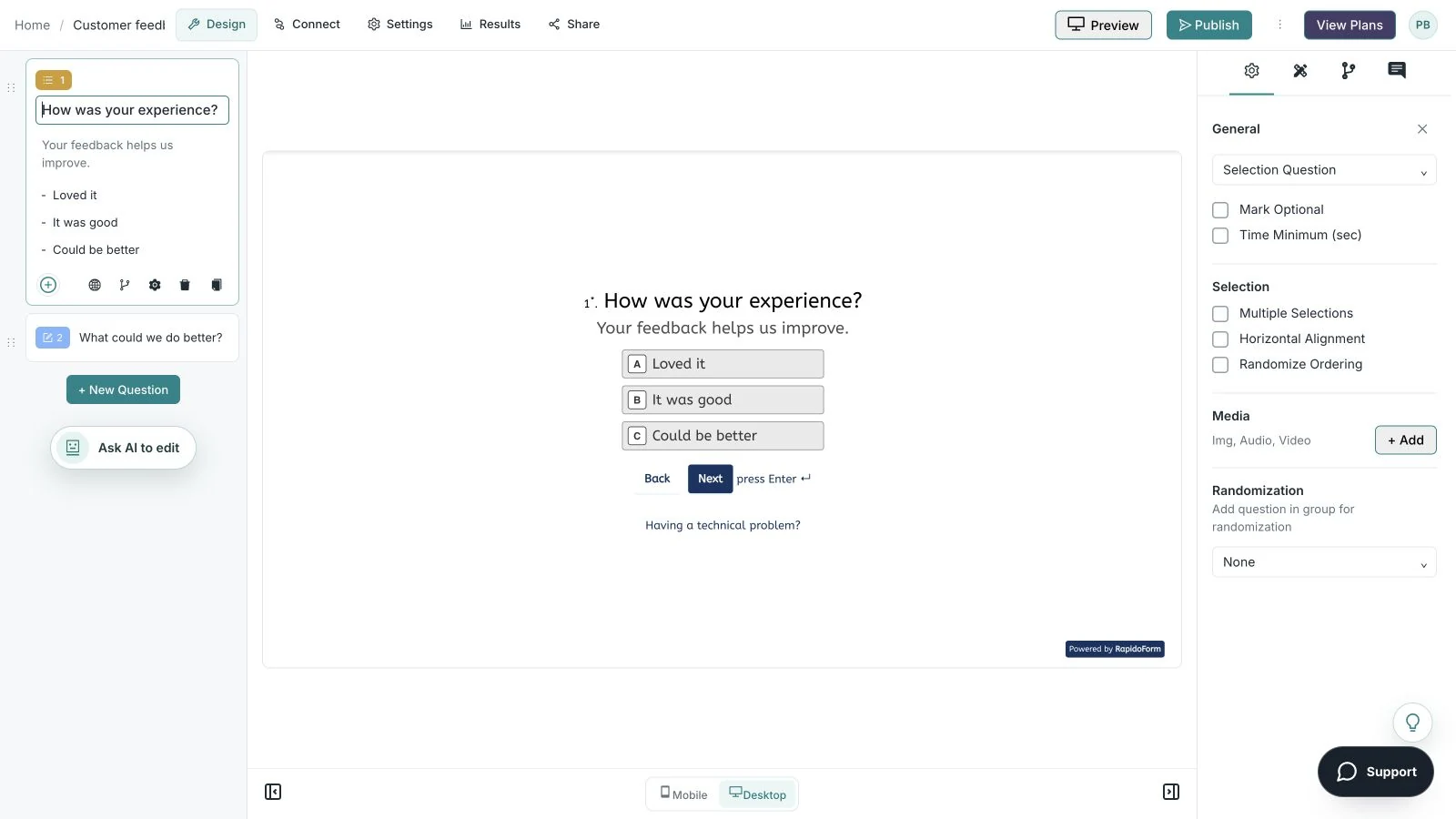
Showing: Make the wording yours. Screens use sample content. Feature availability varies by plan.
A quick look around
Choose a question, edit the answers, explore themes, and switch to the mobile preview.
A silent guided sequence of real builder screens, using a sample feedback form.
Try the builder for free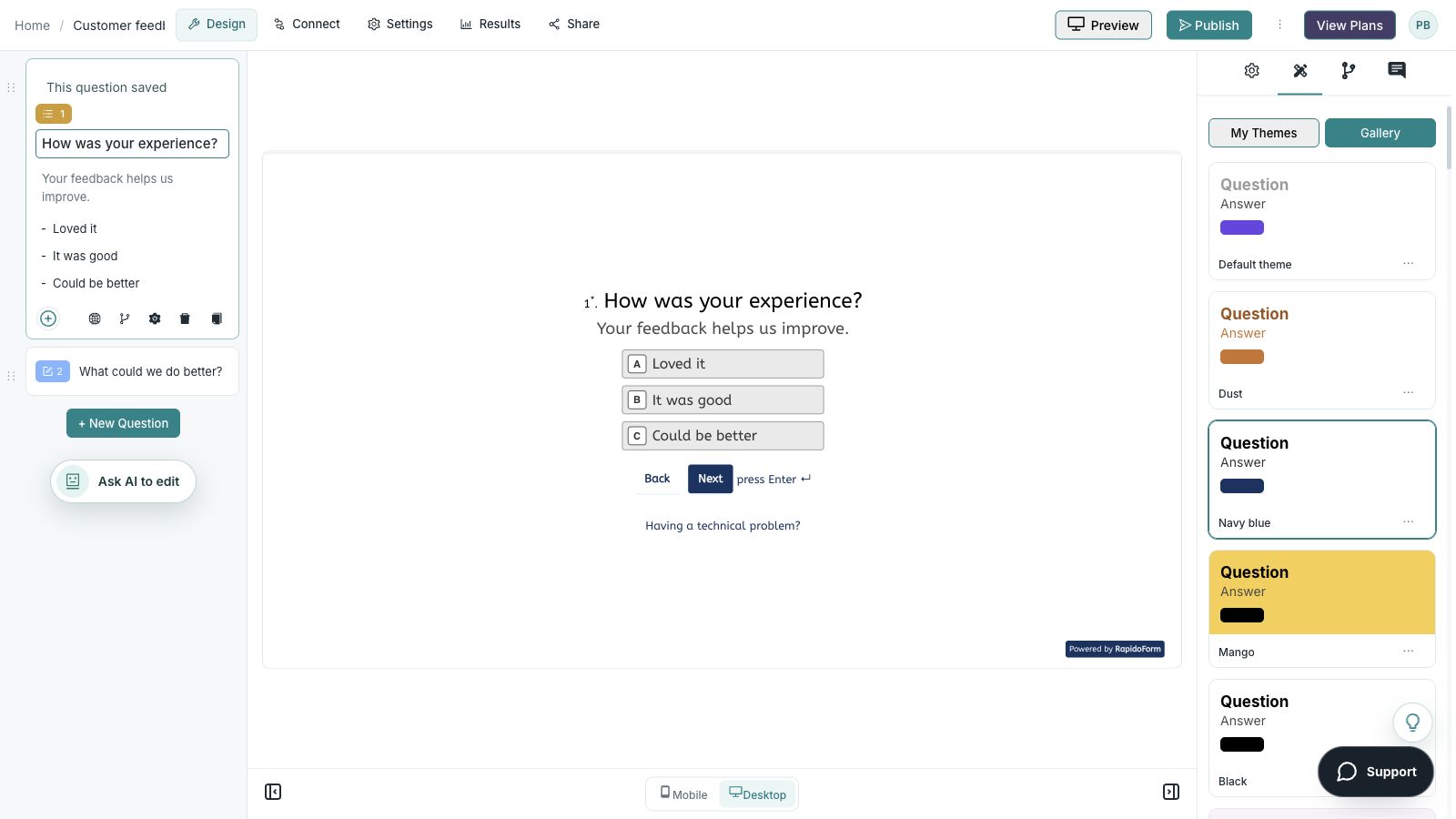
Picture the possibility
Picture a small team receiving event enquiries, project briefs, and service requests. A thoughtful form helps the person explain what they need and gives the reviewer a consistent starting point.
Illustrative example. Answers stay on this page and are not submitted.
Why RapidoForm
RapidoForm gives you a visual starting point for the information your team needs. Use the builder to shape the questions, the respondent experience, and the handoff instead of relying on a generic contact box.
Explore current plans and usageChoose a template or create a blank form, then add the question types that fit your request. You can revise the wording as your process becomes clearer without rebuilding a coded page.
See the form-building stepsWhen a request type needs different details, branching can guide people toward the relevant follow-up. Start with one clear rule and expand the flow only when it helps the person answering.
Explore branchingUse the theme controls to align question, answer, button, and background colors. Publish the finished version and share the respondent link or choose an available embed option.
Explore the theme editorYour workflow, simplified
Keep the first version focused. A short, tested workflow is easier to improve than an oversized form that tries to handle every possibility.
Decide whether you are collecting a registration, handling a request, or reviewing an application. Give the form one primary outcome and a clear owner.
Start with easy questions, explain unfamiliar terms, and group related details. Make a field required only when the next step genuinely depends on it.
Check validation and conditional paths, publish the latest version, and share a link or embed. Review early responses for missing or confusing information.
For applications, collect eligibility and relevant experience before asking for extra detail. Use consistent answer formats so reviewers can compare submissions fairly.
Tell applicants what happens next, when they can expect a response, and how to correct a mistake. Avoid collecting information that your review process does not need.
Browse business formsWrite a confirmation message that explains whether the request has simply been received or has actually been approved. Assign an owner for follow-up before you start collecting submissions.
If you connect responses to another tool, verify the field mapping and test a submission. Keep a clear process for handling missing values, failed deliveries, and duplicate requests.
Explore response workflowsFind your starting point
Start with a situation your audience recognizes, then shape the questions around the next step.
Collect attendance details and practical requirements, then explain what happens before the event.
Ask about the goal, relevant context, and preferred contact method. Keep exceptions easy to explain.
Gather comparable information around the criteria you actually review. Explain the process and expected next step.
Make it useful
Every field should help you respond, route, or decide. Here are examples for a general request form.
| What to ask | Suggested format | How to use the answer |
|---|---|---|
| What do you need help with? | Single choice | Route the request to the right workflow. |
| Describe the result you need. | Long text | Understand the goal in the requester’s own words. |
| When do you need a response? | Date or clear date range | Review urgency without promising an unavailable deadline. |
| How can we contact you? | Follow up when a reply is part of the process. | |
| Is there anything else we should know? | Optional long text | Capture an exception without adding more mandatory fields. |
Use these as starting points. Adapt the wording, choices, and required fields to your audience before publishing.
A small change with a purpose
Clear wording helps someone give you the information you actually need. Here are two improvements to try.
“Tell us everything about your project.”
“What result would you like this project to achieve?”
A defined goal makes the request easier to answer and gives the reviewer a useful starting point.
“Enter all your details.”
“What email should we use to reply about this request?”
A specific label explains both the information needed and why it matters.
Put the idea into practice
Prepare the right first conversation before your team replies.
Example introduction
Tell us what you need help with. A few details will help our team prepare a useful reply.
A new project / Help with an existing project / A general question
Use the answer to choose the relevant follow-up.
Describe the goal and any important context.
Ask for an outcome instead of a long list of specifications.
A contact address for this enquiry.
Explain that this field is for responding to the request.
Who this is for
People requesting a service or asking whether you can help.
How the path works
For an existing project, add a short context question. For a general question, skip project-specific details. Give every path the same clear confirmation.
Example ending
“Thanks for telling us what you need. Your request has been received and will be reviewed by our team.”
Illustrative setup. Adapt the wording and behavior to your audience.
After the first response
The form is the beginning of a process. Give the answers a review routine so requesters get the next step you described.
Group enquiries by request type and assign the appropriate reviewer. Keep an exception route for an answer that does not fit the standard choices.
If reviewers repeatedly need the same extra detail, improve that question or add a relevant follow-up rather than making every field mandatory.
Check whether people understand what happens after submitting. Update the message when the review process changes.
The details matter
Give the form a complete trial run, including the routes you do not expect most people to take. Check your workspace plan before relying on a feature or response limit.
Compare plan featuresMake the idea yours
You have the idea. Give it a clear structure, make it feel like your brand, and preview the experience before inviting your audience.
Start free. Explore paid features and limits when your workflow needs them.
A welcoming introduction, a clear goal question, a request category, and a contact field for the reply.
Good questions
More detail before you get started.
Visit the help centerCommon starting points include contact forms, event registrations, applications, feedback forms, and service requests. Choose a template close to your workflow, then review every question and setting.
RapidoForm supports sharing and embedding forms. Publish the version you want to use, choose the available embed option, and test the form in the page where visitors will complete it.
Require only the answers needed to complete the stated process. Explain why a sensitive or unfamiliar field is necessary, and allow an optional answer when it will not block the next step.
RapidoForm offers a free plan alongside paid plans. Check the pricing page for current response limits, AI allowances, integrations, and other feature availability before choosing your setup.
Keep building
Turn an idea into something useful
Start with a template or a blank form, adapt it to your audience, and preview the complete experience before sharing it.
Create your formFree and paid plans available. Features and usage limits vary by plan.