Hear the why.
Collect spoken feedback, or pair a rating or choice with an audio explanation.
Explore audio questionsOnline test maker
Create assessments for training, practice, or a topic check. Keep questions aligned with the learning goal and give participants clear instructions from start to finish.
Start free Audio & video questions Customize without code

Go deeper than a text box. Add audio and video questions to your forms and surveys, so people can explain an experience in their own words.
Collect spoken feedback, or pair a rating or choice with an audio explanation.
Explore audio questionsCollect video answers for customer stories, introductions, and qualitative research.
Explore video questionsRecording and storage allowances vary by plan. Compare plans →
Start with the outcome
An assessment should test understanding of a defined topic. Extra complexity, ambiguous wording, or an unclear scoring rule can measure something else entirely.
Map every item to a learning objective. Use realistic scenarios when you need to evaluate application rather than simple recall.
Explain what participants should do, how answers are evaluated, and what feedback they will receive. Avoid hiding essential instructions in a long introduction.
Review commonly missed questions and check for confusing wording. Use the findings to plan review material or improve the training itself.
Inside RapidoForm
Explore the question picker, answer editor, and mobile preview before creating your assessment. This general builder tour uses a sample feedback form; assessment scoring is a separate setup step.
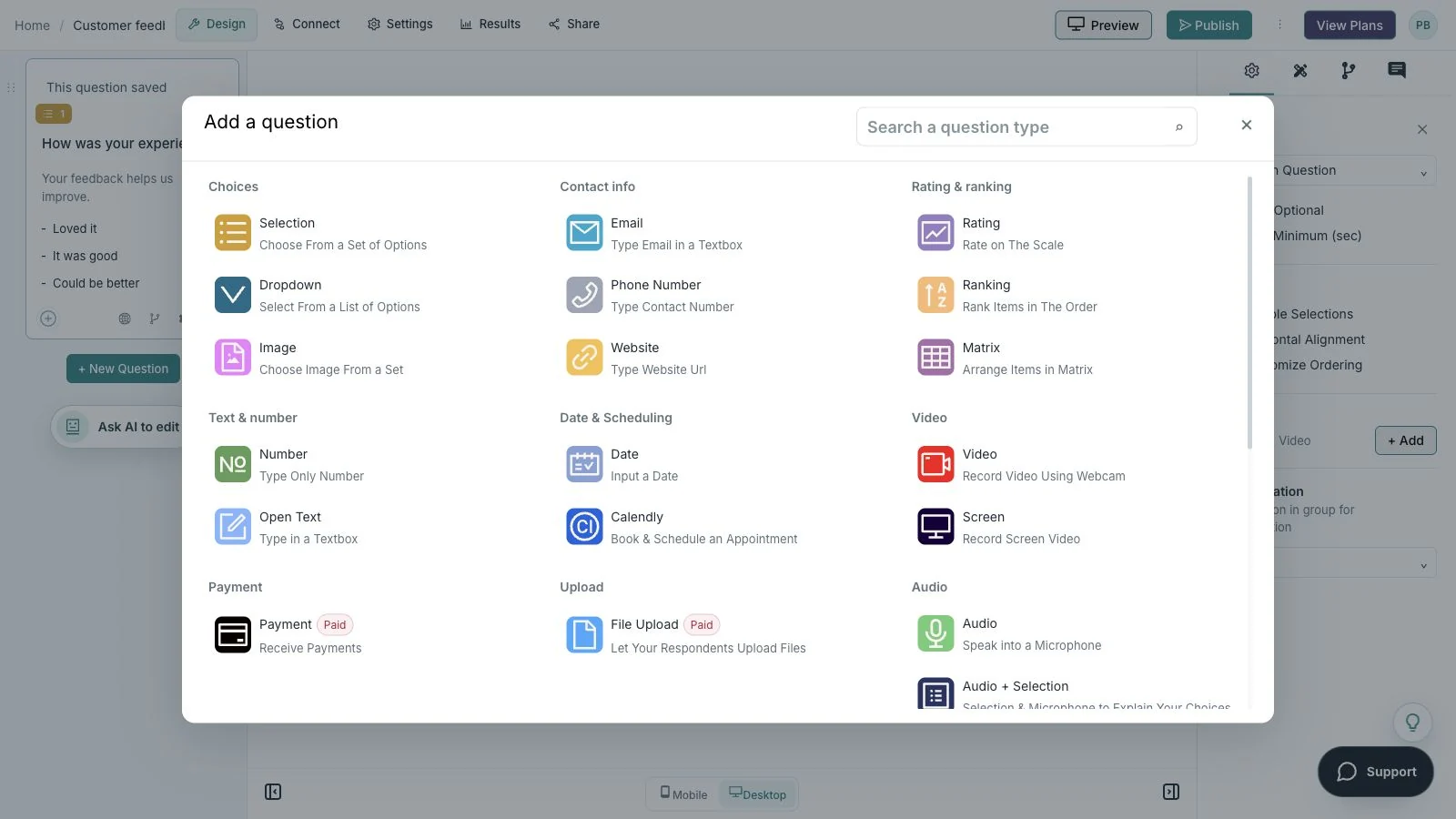
Showing: Choose a question. Screens use sample content. Feature availability varies by plan.
A quick look around
Choose a question, edit the answers, explore themes, and switch to the mobile preview.
A silent guided sequence of real builder screens, using a sample feedback form.
Try the builder for free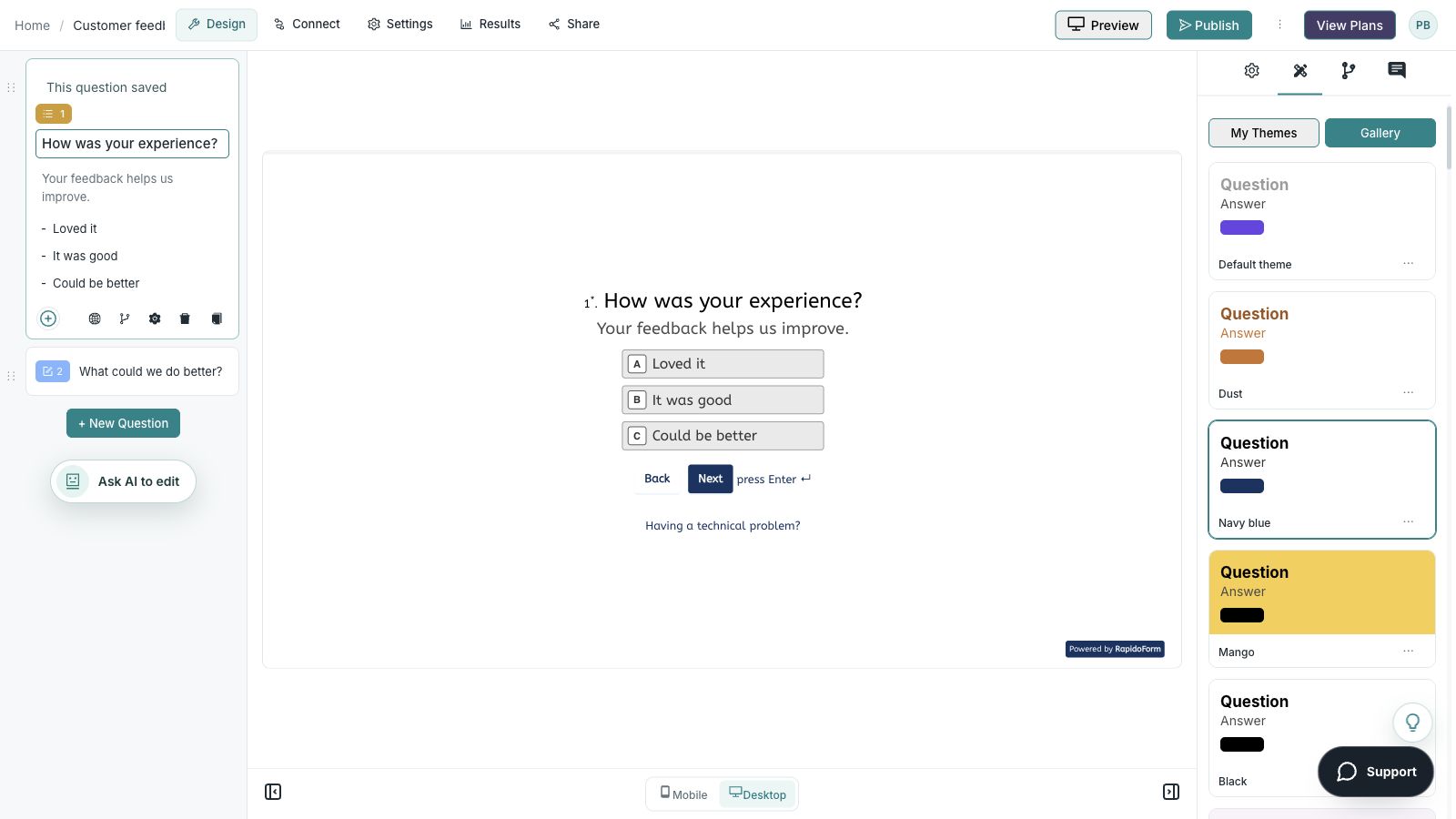
Picture the possibility
A team has completed a training session. An assessment aligned with the lesson can show which concepts are understood and which ones deserve another explanation or practice activity.
Illustrative example. Answers stay on this page and are not submitted.
Why RapidoForm
RapidoForm gives you a visual way to arrange questions, review scoring workflows, and publish an assessment experience. Your subject knowledge determines what the test should measure and how the results should be used.
Explore current plans and usageChoose question formats that reveal the knowledge or decision you care about. Start with a focused assessment instead of a large bank of unrelated items.
Explore the builder workflowWhere you use scoring, check the result fields and explain what the score represents. Consider unanswered questions and different question weights in your review.
See scores in resultsPreview instructions, questions, and endings before publishing. Open the respondent link separately to check what the learner will actually see.
Read the publishing guideYour workflow, simplified
Build the answer key and feedback alongside the questions. A careful review is part of authoring, not something to leave until after the first group finishes.
State the knowledge or decisions learners should demonstrate. Decide whether this is diagnostic practice or a formal assessment.
Draft clear questions, check the answer key, and configure scoring where appropriate. Have a subject-matter reviewer look for ambiguity and missing context.
Try every route and score boundary. Check instructions, accessibility, published behavior, and feedback before inviting the full group.
Keep each question about one objective. Avoid grammatical clues, needless negatives, and answer choices that differ mainly in length or technical detail.
Use examples learners have enough context to understand. If language fluency is not the objective, simplify the wording so it does not become an accidental barrier.
Review question formatsFor practice, explain why an answer is appropriate and point to the relevant lesson. For a more formal assessment, decide when feedback should be released and who will review unusual cases.
Do not assume a general form provides proctoring, identity verification, or a validated certification process. Match the delivery and review controls to the importance of the decision.
Read about scores in resultsFind your starting point
Start with a situation your audience recognizes, then shape the questions around the next step.
Ask about the concepts a learner needs before starting a module.
Use questions aligned with the material that was taught.
Use constructive explanations and relevant review material.
Make it useful
Match the question to the evidence needed for each learning objective.
| Learning objective | Question approach | Review before launch |
|---|---|---|
| Recognize a core concept | Single-answer multiple choice | Only one answer is defensible from the lesson. |
| Choose an appropriate action | Short, realistic scenario | The scenario includes the context needed to decide. |
| Explain a process | Short or long text | A reviewer has a consistent evaluation guide. |
| Identify a misconception | Plausible alternatives around a known error | The incorrect choices are fair and informative. |
| Plan further practice | Optional reflection question | The response leads to a useful review activity. |
Use these as starting points. Adapt the wording, choices, and required fields to your audience before publishing.
A small change with a purpose
Clear wording helps someone give you the information you actually need. Here are two improvements to try.
“Do you understand the process?”
“Which action should you take after this step?”
A concrete decision reveals more than a self-reported yes or no.
“Which is NOT the wrong next action?”
“Which action should you take next?”
Removing unnecessary negatives makes the decision easier to understand.
Put the idea into practice
Identify a topic to review before the next training session.
Example introduction
This short practice check helps you choose what to revisit. Read each situation and choose the action that fits the example process.
The goal and relevant context / Only the requester’s name / Only the date
Map the item to the objective of understanding the request.
Use the stated exception process / Guess a category / Treat it as resolved
Check application of the process rather than recall of a label.
Describe a concept or decision you want to practice.
Give the learner a voice in the next review step.
Who this is for
Learners who have seen the introductory material.
How the path works
The intended answers in this illustrative process are the goal/context option and the stated exception process. Review the answer key and any scoring before adapting the test to your own training.
Example ending
“Use the feedback to choose a concept to revisit. This practice check is a starting point for learning, not a certification result.”
Illustrative setup. Adapt the wording and behavior to your audience.
After the first response
Assessment results are more useful when you connect them to the objective, question quality, and next learning activity.
Review which concept the question was meant to check. Confirm that the lesson actually covered the information needed.
Ask whether the wording or answer choices could explain the result. Revise a weak item before relying on it for further decisions.
Provide a relevant explanation, scenario, or practice exercise. Decide whether a follow-up check would help confirm understanding.
The details matter
Give the form a complete trial run, including the routes you do not expect most people to take. Check your workspace plan before relying on a feature or response limit.
Compare plan featuresMake the idea yours
You have the idea. Give it a clear structure, make it feel like your brand, and preview the experience before inviting your audience.
Start free. Explore paid features and limits when your workflow needs them.
A clear objective, reviewed questions, checked scoring, and feedback suited to the learning process.
Yes. Use the builder to structure questions and configure the available settings. Review the answer key, scoring, and participant experience before publishing.
Review which concepts participants struggle with, then check whether the questions were clear and aligned with the lesson. A low score alone does not explain why a learner had difficulty.
That depends on the requirements of the assessment. Confirm identity, supervision, accessibility, review, and result-handling requirements rather than assuming they are provided by a standard quiz flow.
RapidoForm offers a free plan alongside paid plans. Check the pricing page for current response limits, AI allowances, integrations, and other feature availability before choosing your setup.
Keep building
Turn an idea into something useful
Start with a template or a blank form, adapt it to your audience, and preview the complete experience before sharing it.
Create your testFree and paid plans available. Features and usage limits vary by plan.