


Name the learning moment
Ask about a defined lesson, module, or course period. Make the language suitable for the audience and avoid collecting unnecessary identifying information.
RapidoForm templates
Browse forms, surveys, quizzes, and polls. See the design, choose a template, then make every detail your own.
A growing collection of ready-to-customize templates
Explore the collection
Search by name or topic, or narrow the collection by template type and category.
Template collection
Education surveys
Get valuable and actionable feedback from students with an online survey
Education surveys
Check in on your students and find out how Covid-19
Education surveys
Find out how your students' careers are going after graduating from your program or course
Education surveys
Understand your student base better with relevant insights
Education surveys
A quick and easy presentation feedback form for a constructive boost
Education surveys
Measure student satisfaction quicker and easier than ever before
For Education teams
Keep course feedback, learning checks, and formal assessments distinct. Use an education survey to understand clarity, workload, access, and support from the learner’s perspective.
Ask about a defined lesson, module, or course period. Make the language suitable for the audience and avoid collecting unnecessary identifying information.
Explain how responses will be used and whether they affect evaluation. Do not promise anonymity if collected fields or response access can identify the learner.
Review recurring barriers and explain which improvements you can make. Use an assessment with clear objectives when you need evidence of understanding rather than satisfaction.
Go deeper than a text box. Add audio and video questions to your forms and surveys, so people can explain an experience in their own words.
Collect spoken feedback, or pair a rating or choice with an audio explanation.
Explore audio questionsCollect video answers for customer stories, introductions, and qualitative research.
Explore video questionsRecording and storage allowances vary by plan. Compare plans →
Inside RapidoForm
Explore a real sample feedback form in the RapidoForm editor. The same question, theme, and preview controls help you turn your team's use case into a form people can answer.
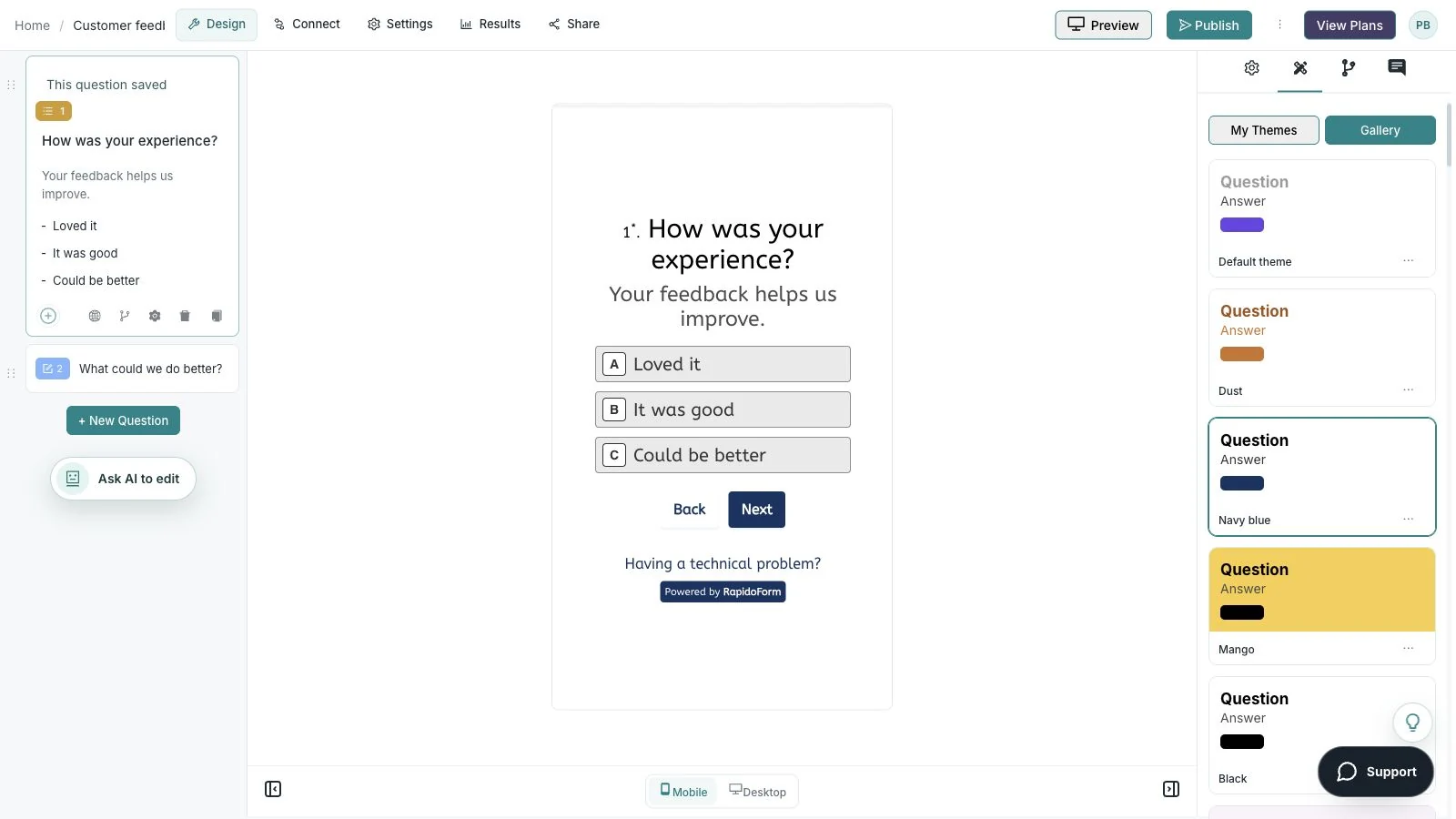
Showing: Check the mobile view. Screens use sample content. Feature availability varies by plan.
A quick look around
Choose a question, edit the answers, explore themes, and switch to the mobile preview.
A silent guided sequence of real builder screens, using a sample feedback form.
Try the builder for free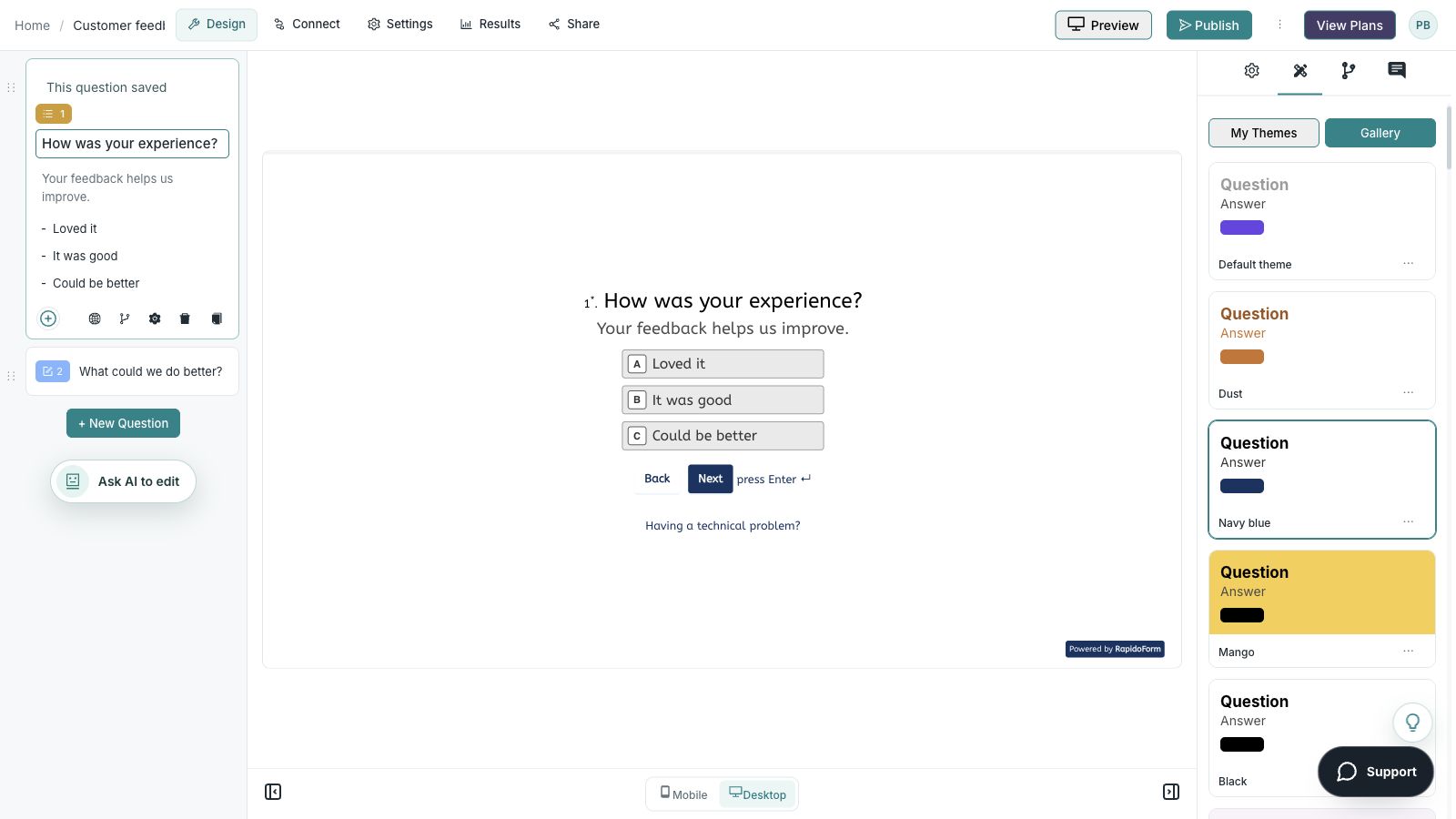
Picture the possibility
A course team wants to understand how a module felt to learners. A focused survey can capture what was clear, what required extra effort, and what support would make the next step easier.

Put the idea into practice
Identify one way to make the next learning step clearer.
Example introduction
Think about the module you just completed. Your feedback will help us improve the explanation and support for the next group.
The explanation / The example / The practice activity / Another part
Find a strength worth preserving.
Very unclear through very clear
Measure clarity separately from enjoyment or difficulty.
A concept, step, or example that was difficult to follow.
Give the teaching team a focused improvement opportunity.
Who this is for
Learners who completed the relevant module.
How the path works
Keep feedback about the learning experience distinct from an assessment of knowledge. Explain how responses are reviewed.
Example ending
“Thank you for helping us improve the module. The teaching team will review the feedback when planning explanations and learning support.”
Illustrative setup. Adapt the wording and behavior to your audience.
After the first response
Give the answers a clear review process and keep the next step connected to the purpose of the form.
Group comments around clarity, access, pace, and support.
Use an appropriate assessment when you need evidence of understanding rather than satisfaction.
Tell learners which change you can make and what further feedback would help.
Make the idea yours
You have the idea. Give it a clear structure, make it feel like your brand, and preview the experience before inviting your audience.
Start free. Explore paid features and limits when your workflow needs them.
A clear learning context, a usefulness or clarity measure, and an optional improvement suggestion.