Hear the why.
Collect spoken feedback, or pair a rating or choice with an audio explanation.
Explore audio questionsGuide · Product research
Ask about what customers do, where they struggle, and what they value. Use this guide to turn product survey answers into a clearer research question and a practical next step.
Start free Audio & video questions Customize without code

Go deeper than a text box. Add audio and video questions to your forms and surveys, so people can explain an experience in their own words.
Collect spoken feedback, or pair a rating or choice with an audio explanation.
Explore audio questionsCollect video answers for customer stories, introductions, and qualitative research.
Explore video questionsRecording and storage allowances vary by plan. Compare plans →
Start with the outcome
A product survey can support discovery, usability review, or a check on perceived value. It should not try to answer every product question at once.
Ask what customers were trying to accomplish and what they did before using the product. This reveals context that feature preferences alone can miss.
Ask about a recent task and the point where progress slowed. Follow up with a concrete example rather than assuming the problem is the feature you already want to change.
Ask which outcomes matter and what alternatives people consider. Interpret pricing and recommendation answers alongside actual use and recruitment.
Inside RapidoForm
Inspect a selection question, the editing controls, and the mobile preview. Then adapt the wording to the product task or experience you want to understand.
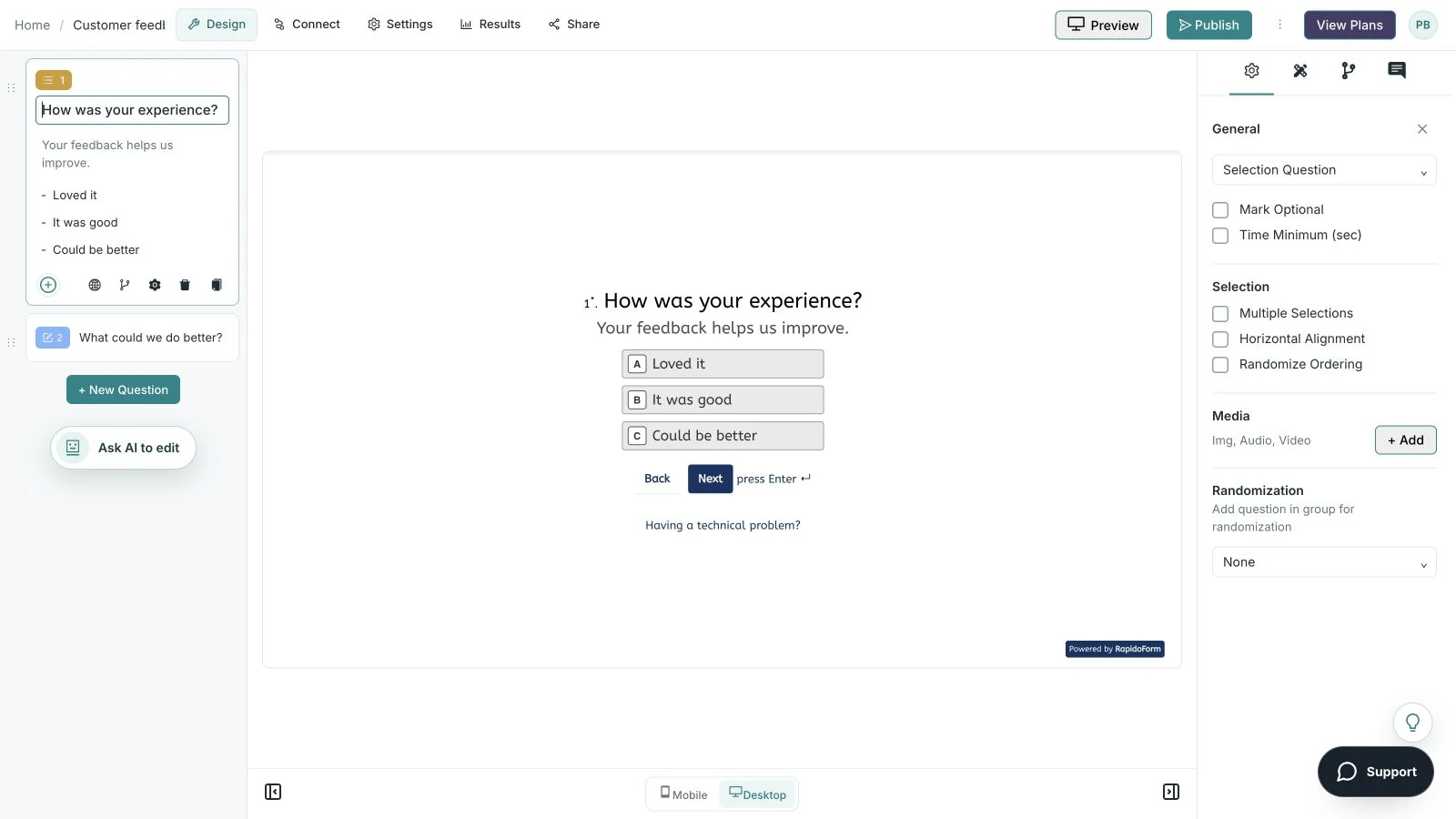
Showing: Make the wording yours. Screens use sample content. Feature availability varies by plan.
A quick look around
Choose a question, edit the answers, explore themes, and switch to the mobile preview.
A silent guided sequence of real builder screens, using a sample feedback form.
Try the builder for free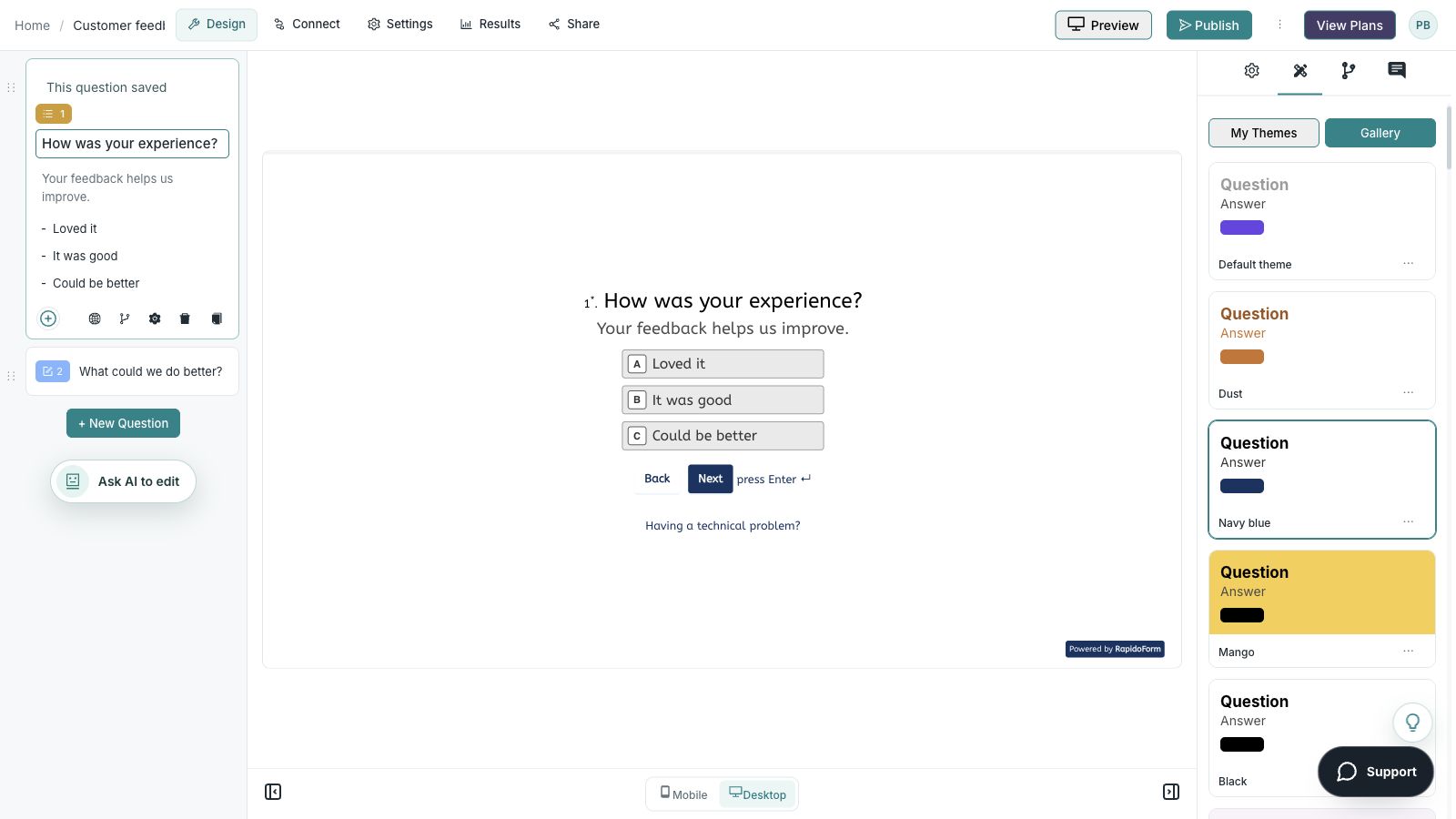
Picture the possibility
A customer asks for a new feature. A thoughtful follow-up explores the task, the current workaround, and what a better outcome would look like, helping the product team evaluate the need behind the request.
Why RapidoForm
Use RapidoForm to organize product context, a defined experience, and a useful explanation into one shareable survey. A focused structure makes it easier to connect responses with the decision you are investigating.
Explore current plans and usageAdapt a research or feedback template, then rewrite the questions for the relevant feature, task, or stage of use. Keep the study specific enough to interpret.
See how to build the sequenceUse a context answer to distinguish first-time use, regular use, and an incomplete task. A branch can give each experience a more appropriate next question.
Explore conditional pathsShare the checked survey with the audience whose experience fits the question. Keep the welcome message and respondent link connected to the purpose of the study.
Review publishing and sharingFrom principle to practice
Choose a specific group and product moment. A first-time user and a long-term customer may describe very different needs.
Choose the decision, audience, and experience you want to investigate. Separate hypotheses from evidence you already have.
Begin with use context, move to the experience, and finish with improvement or follow-up. Include only the questions needed for this study.
Group comments, examine relevant differences, and identify what to investigate further. Share the findings with their limits and the proposed action.
“Tell us about the last time you used this feature” anchors the answer in experience. “Would you use a new feature?” may tell you about interest, but it does not establish future adoption.
When someone asks for a feature, ask what they are trying to do and how they handle it today. A workaround may reveal the underlying need more clearly than the proposed solution.
Plan a discovery studyA value-for-money question captures a perception in context. Existing customers exclude people who decided not to buy, so their answers cannot explain the whole market.
Recommendation questions can help monitor a consistent measure, but they need a follow-up reason. Do not treat one score as a diagnosis of loyalty or a substitute for reading the comments.
Build a feedback loopFind your starting point
Start with a situation your audience recognizes, then shape the questions around the next step.
Ask about the first task and where progress slowed.
Explore the goal behind a request and the current workaround.
Ask about important outcomes and relevant alternatives.
Make it useful
Choose a subset for your current objective. Sending all ten is not automatically a better study.
| Question | What it explores | Useful follow-up |
|---|---|---|
| What were you trying to do the last time you used the product? | The customer’s goal | What happened next? |
| How did you handle that task before? | Alternatives and workarounds | What was difficult about that approach? |
| Which part of the product did you use? | Use context | How often have you used it recently? |
| How easy was it to complete that task? | Perceived effort | Where did you get stuck? |
| What worked particularly well? | A strength to preserve | Can you share a recent example? |
| What did you expect that did not happen? | An expectation gap | How did you work around it? |
| Which outcome matters most to you? | A priority | What makes that outcome important? |
| How would you describe the value for the cost? | Perceived value | Which alternatives are you comparing it with? |
| How likely are you to recommend the product? | Willingness to recommend | What is the main reason for your answer? |
| What should we improve first? | An improvement opportunity | What would that help you accomplish? |
Use these as starting points. Adapt the wording, choices, and required fields to your audience before publishing.
A small change with a purpose
Clear wording helps someone give you the information you actually need. Here are two improvements to try.
“What feature should we build?”
“What were you trying to accomplish when you needed that feature?”
The underlying goal makes it easier to compare solutions.
“Would a cheaper plan make you buy?”
“Which alternatives did you consider, and what influenced the choice?”
The question leaves room for factors beyond the price hypothesis.
Put the idea into practice
Learn what helped customers complete a useful task and where effort remained.
Example introduction
Think about the last time you completed this task. We are interested in the experience you actually had, including anything you worked around.
Describe the task and the intended outcome.
Start with the job behind the product interaction.
Yes / Partly / No
Keep a successful and an incomplete experience distinguishable.
Describe a step, workaround, or useful part of the workflow.
Connect the outcome with a concrete explanation.
Who this is for
Customers who have recently used the relevant workflow.
How the path works
For a completed task, ask what made success possible. For a partial or incomplete task, ask where progress stopped and what the person tried next.
Example ending
“Thank you for sharing a recent example. We will use the responses to choose which part of the workflow to investigate.”
Illustrative setup. Adapt the wording and behavior to your audience.
After the first response
A useful product review distinguishes the task, the context, and the proposed response.
People using the same feature may be trying to do different jobs. Keep those goals visible when you group comments.
Record the underlying problem and the current workaround before deciding which solution to explore.
Use the findings to plan a follow-up interview, usability task, or focused experiment. Make the remaining uncertainty explicit.
The details matter
Give the form a complete trial run, including the routes you do not expect most people to take. Check your workspace plan before relying on a feature or response limit.
Compare plan featuresMake the idea yours
You have the idea. Give it a clear structure, make it feel like your brand, and preview the experience before inviting your audience.
Start free. Explore paid features and limits when your workflow needs them.
A recent-task question, a friction question, and a focused improvement opportunity.
Good questions
More detail before you get started.
Visit the help centerChoose people whose experience matches the decision. New users can describe onboarding, active users can describe regular tasks, and former users may help explain unmet needs. Keep those groups distinct in analysis.
You can ask about priorities, but also explore the problem and current workaround. A feature request is a proposed solution; understanding the need helps you compare possible responses.
Use timing that fits a product decision or experience. Avoid repeatedly asking the same people without acting on what you have already learned.
RapidoForm offers a free plan alongside paid plans. Check the pricing page for current response limits, AI allowances, integrations, and other feature availability before choosing your setup.
Keep building
Turn an idea into something useful
Start with a template or a blank form, adapt it to your audience, and preview the complete experience before sharing it.
Create a product surveyFree and paid plans available. Features and usage limits vary by plan.